34
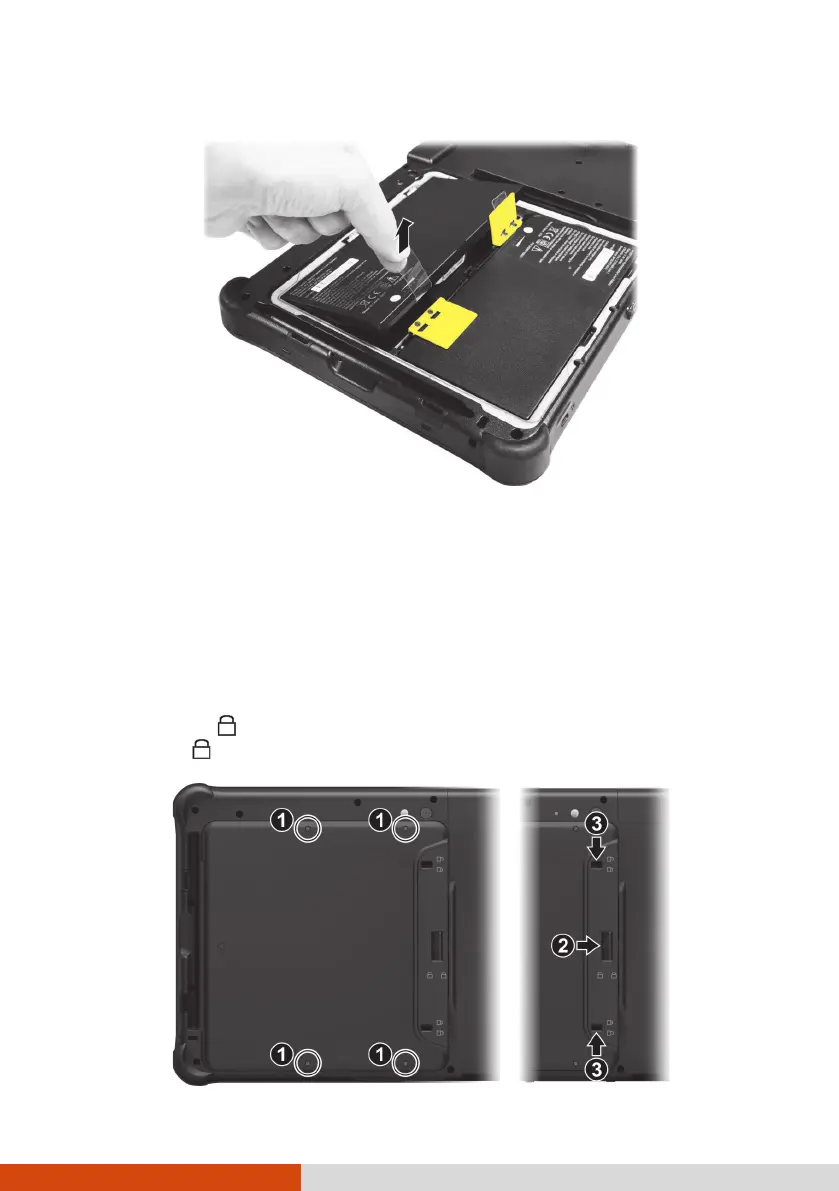
3. Pull the ribbon strip to lift the battery pack off the compartment.
4. Fit another battery pack into place. Note the orientation of the battery
pack. Hold the battery pack at an angle and insert its small tabs to the
corresponding notches in the battery compartment. Then, lift the yellow
protection sheet in the battery compartment and plug the battery
connector.
5. Hold the battery cover at an angle and insert the cover’s small tabs to
the corresponding notches on the Tablet PC; then close the cover. Press
the four small dots (
) so that the cover clicks into place. Engage the
cover latch ( ) (
) and slide the two small locks inward to the locked
position ( ) (
).



 To Next Page