36
Connecting Peripheral Devices
Connecting a USB Device
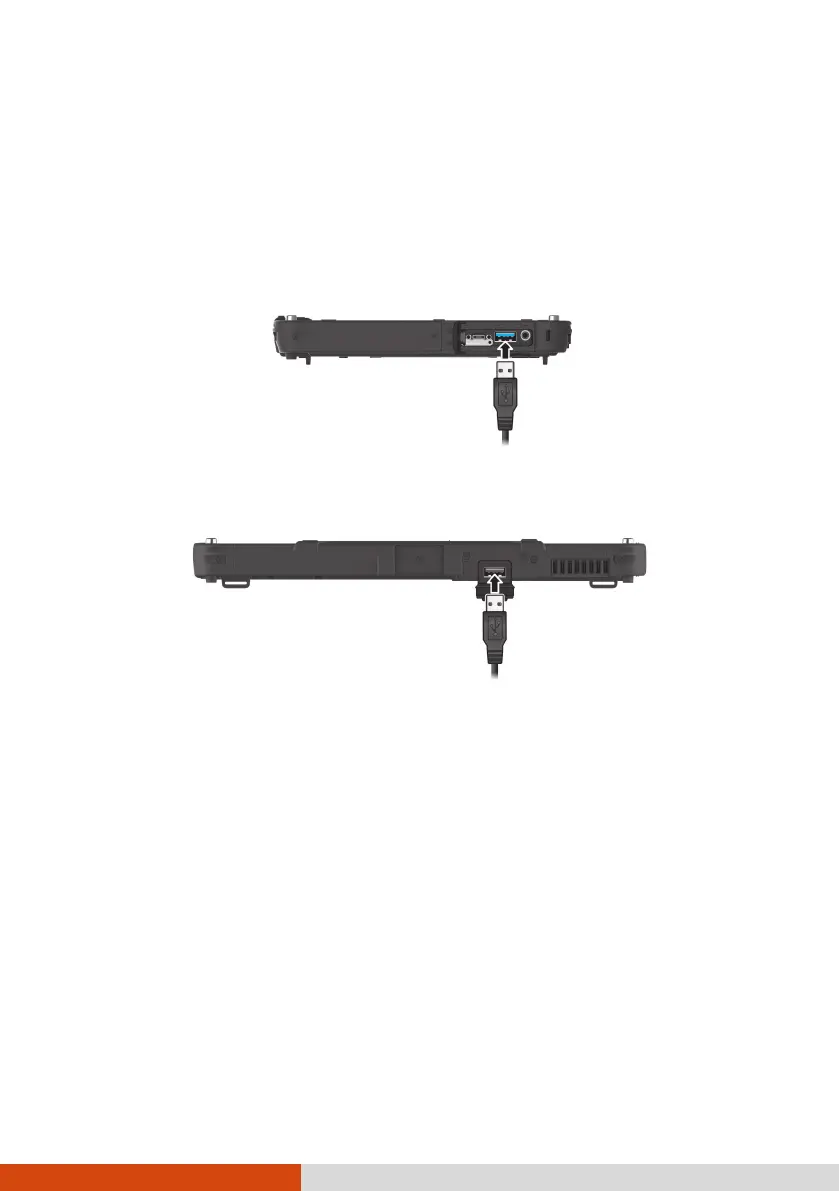
Your Tablet PC has a USB 3.2 Gen 2 port for connecting USB devices, such as
a digital camera, scanner, printer, and mouse. USB 3.2 Gen 2 supports a
transfer rate up to 10 Gbit/s.
Select models have a second USB port, which supports USB 2.0 (transfer rate
is 480 MB/s).
Connecting a Thunderbolt™ Device
Your Tablet PC has a Thunderbolt 4 port. This port features:
USB Type-C (or simply USB-C) connector format
Up to 40 Gbps data transfer speed
DisplayPort
USB Power Delivery
Note that you should use the appropriate wattage/voltage USB-C power
adapter for your model.
USB-C power adapter specifications: 85 W or above (20 V, 4.25 A or above)
Applications include storage, display, networking, single-cable docking, and
more.



 To Next Page