Page 15 of 24
<Doc_USR><Doc_502404300><Rel_A><Lang_GB>
Printer (Option)
Replacing the paper roll
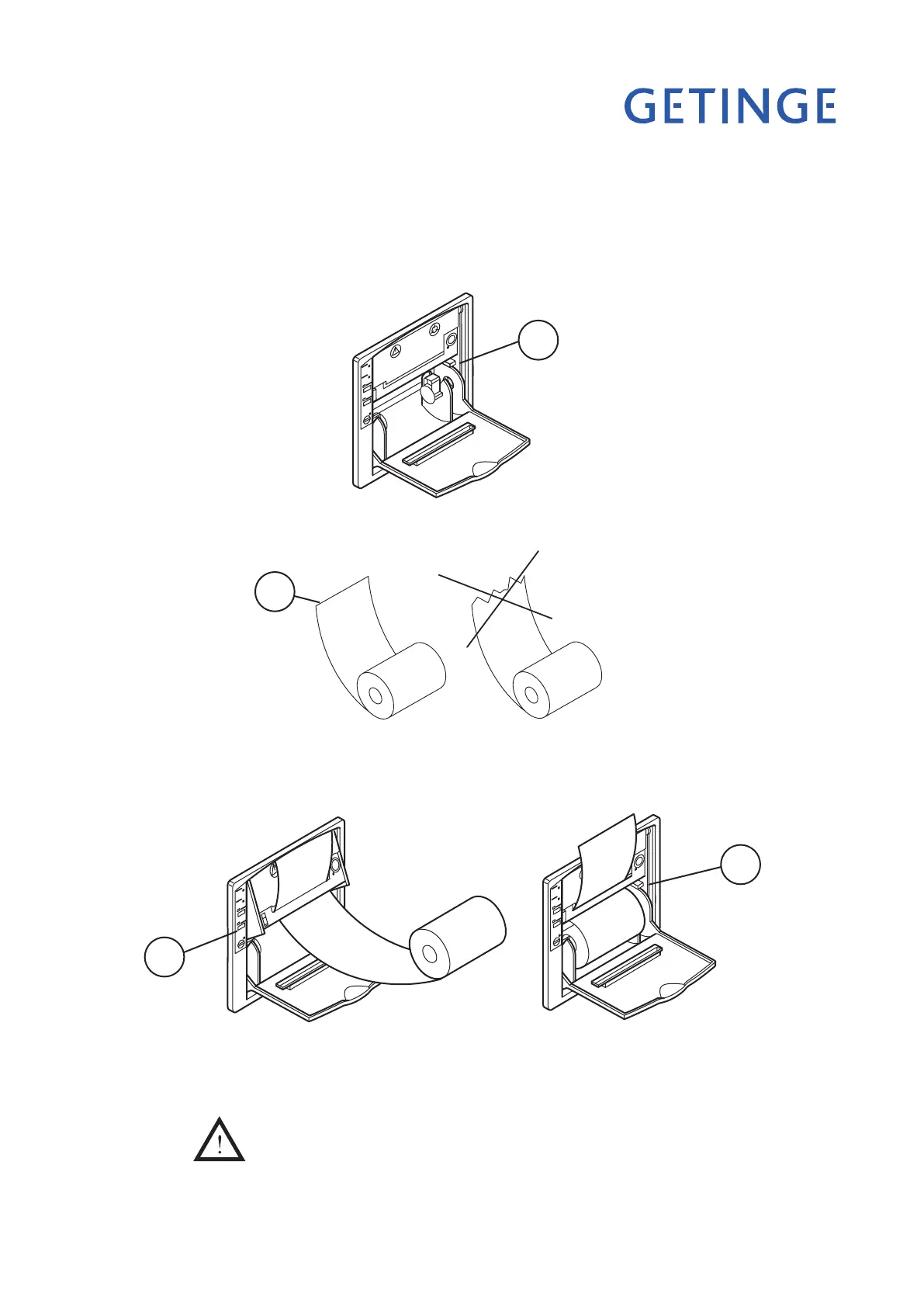
Open the front door of the printer.
Remove any paper residue.
Fold down the printing mechanism by pressing the latch marked PUSH (A).
•
•
•
Cut the end of the new roll square (B). (This makes it easier to thread the paper into
the printer mechanism.)
•
Insert the paper into the opening of the print mechanism and press the FEED (C) but-
ton on the printer. The paper is now automatically fed through the printer mechanism.
Fold away the printing mechanism and lock it with the latch (D).
•
•
Tear off the paper and close the front panel of the printer.
The printer is now ready to use again.
Never use the printer without paper and/or ink ribbon.
Do not pull on the printer feed when the printer is on.
•
•
A
B
D
C
V1972
V1973
V1973



 To Next Page