JOINON WALLBOX I-CON BASIC recharging unit for electric vehicles
54
Once the product has been installed, certain station operating parameters can be modified via a text file to be saved
on the microSD card inserted in the charging station itself.
Use a computer to create a text file renamed “config.ini”, where you can insert the parameters you want to modify. The
parameters must be added as indicated below.
The parameters that can be modified are:
Function description Name of the parame-
ter to be used
Available options, and examples
Maximum input current MAXAMPEREAVAILABLE
The input current set in the factory can be altered to suit
the real availability and avoid problems during recharging.
To do this, use the MAXAMPEREAVAILABLE parameter
Example
MAXAMPEREAVAILABLE=32
Maximum recharging
current
AMPERESOCKET_SX
It is possible to define a recharging current different from
the one set in the factory. To do this, use the AM-
PERESOCKET_SX parameter
Example
AMPERESOCKET_SX=10
Date and time DATETIME
If the station date is wrong, it can be updated using the
DATETIME value. The format is YYYY/MM/DD-hh:mm
Example
DATETIME=2021/01/31-14:00
LOG level LOGLEVEL
The LOG level saved by the recharging station on the
microSD card can be modified using the LOGLEVEL
parameter. There are 2 options: 3 (limited wordiness) or 4
(high degree of wordiness)
Example
LOGLEVEL=3
MODIFYING THE OPERATING PARAMETERS OF THE RECHARGING STATION
13.
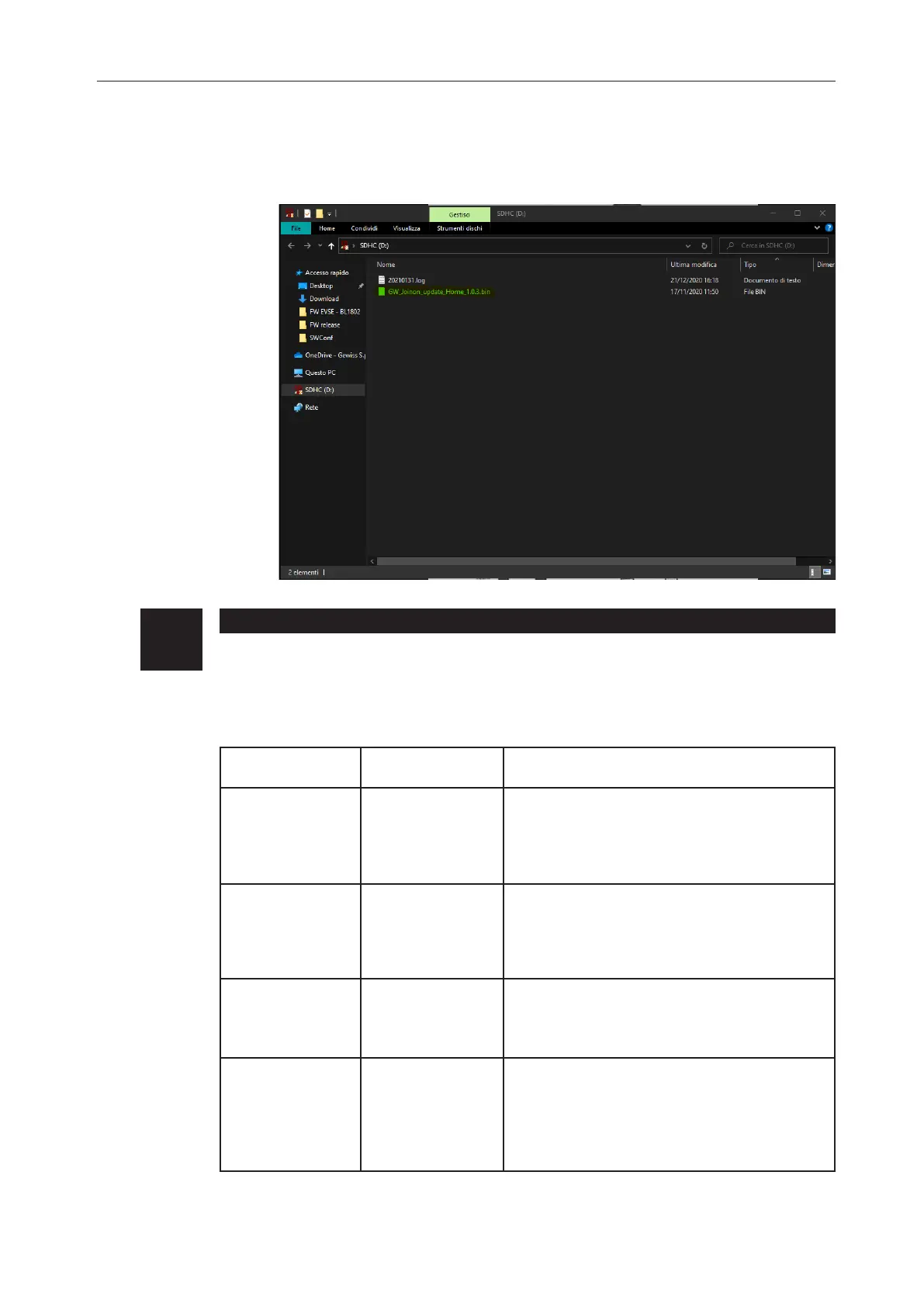
NOTE=The FW update package(s) is/are inserted in the main folder of the microSD as shown
in the example below


 To Next Page
 Loading...