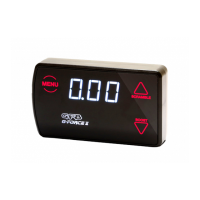
The Sensitivity setting controls a closed-loop correction factor that attempts to correct any difference between the
actual boost and the target boost pressure. This is useful on a turbo that tends to drop boost pressure as RPM rises
(boost taper), and can also help pull boost pressure up to the target when it is rising very slowly (such as in a very high
gear at low RPM).
NOTE: the Sensitivity setting requires a peak “target” boost to be set up in the Duty Cycle menu (page 8). If you
adjust duty cycle without performing a boost run, the target boost will be 0 and Sensitivity will not perform
closed-loop corrections.
Boost taper is common on small factory turbos, because they are typically sized for mid-range response rather than top
end power, and as such they tend to “run out of puff” at high RPM.
The Sensitivity feature can help reduce boost taper. It is adjustable between 0-100, where 0 results in no closed-loop
correction at all, and 100 is the strongest correction possible.
If the setting is too high, the boost pressure might start to become unstable, where it constantly “hunts” up and down, so
this is another setting that should be tested experimentally to find what works best for your turbo.
If you notice that boost pressure falls away at high RPM and you want to try to correct this behaviour, follow the steps
below:
1. Make sure Duty Cycle has first been adjusted and peak boost set, as per page 8. It is not necessary to set gain
for sensitivity to work, but if you do plan to use gain you should set it before adjusting sensitivity.
2. Select the boost preset that you want to adjust (see page 7), then navigate to the “Sensitivity” menu (tap
“SETTINGS” three times from Running Mode) – the screen will scroll “SEnS”, followed by the current
Sensitivity setting (default is 0).
3. Drive the car in such a way that the boost pressure falls off at high RPM, and take note of the highest pressure
drop and the RPM, e.g. boost falls from 18psi at 5000RPM to 15psi by 7000RPM.
4. Now increase the Sensitivity setting using the up/down buttons, then drive the car again (using the same
method as above to ensure consistency).
5. Note how the boost taper rate changes, and continue to adjust the Sensitivity setting to achieve the desired
result. If you notice that boost starts to become unstable (i.e. oscillates up and down rapidly), reduce the
sensitivity setting until stable boost pressure is achieved. It may not always be possible to completely eliminate
boost taper depending on how severe it is, but this setting will at least ensure that everything the turbo system is
capable of is being delivered.
6. When done, tap “SETTINGS” to move on to the next menu item, or hold “SETTINGS” to exit. In either case, the
Sensitivity setting will be saved to the boost preset that you are currently in.
7. Repeat this procedure for any other boost memories you may wish to set up.
NOTE: the Sensitivity function is automatically turned off when making boost pressure adjustments (in the Duty Cycle
menu) so it does not interfere, however it will be reactivated when you return to Running Mode.
There are limits to what the G-Force III can do with the turbo and wastegate – if the duty cycle setting is already quite
high, there is not much adjustment left for the controller to make if boost drops off – once the closed-loop corrections
reach 100% duty cycle, there's nothing more the controller can do as this is the limit of the turbo system. Also
Because of this, it may not always be possible to completely eliminate boost taper, although it should be able to be
reduced at the very least. Keep in mind that attempting to force a small factory turbo to make high boost at high RPM can
potentially increase the exhaust backpressure, charge temperature, and turbo shaft speed without making any
significant improvement in power. The only solution when you reach this point is to upgrade to a larger turbo, different
wastegate spring, or both.
10 - setting the boost pressure
Sensitivity


 To Next Page
 Loading...