Scramble boost is a feature that allows you to increase or decrease boost pressure for a certain amount of time by
clicking a remote-mounted button or switch (see page 3 for details on how to wire up a remote button/switch), or the
“SCRAMBLE” button on the G-Force’s screen. This feature may be useful in the following example situations:
Ÿ
In a drag-race, the Scramble feature could be set up to allow the car to launch on a low boost setting to maintain
traction off the line, then activate a high boost setting further down the track either manually by pressing a steering
wheel-mounted button or automatically using the Scramble timer.
Ÿ In circuit racing, Scramble could be used as a “push-to-pass” system, where a little extra boost pressure could help
during overtaking, but is not desired throughout the entire race for the longevity of the engine.
Ÿ In a high-powered car it might be desirable to run lower boost for better drivability, civilised behaviour on the street, or
better fuel economy, then use Scramble when full power is needed.
Ÿ
Use Scramble to LOWER boost pressure to safe-guard the engine, such as when a water spray or water/meth
injection tank is empty, or the ambient temperature is very high - this could even be set up to be automatic if
connected to a sensor or warning output.
The G-Force III uses a unique approach to Scramble where it jumps to a dedicated Scramble boost preset when
activated, instead of simply adding extra boost. This method offers much more flexibility in how it can be used because
you can tailor the duty cycle, gain, and closed-loop correction specifically to suit the purpose that you intend to use this
feature for. In this way, you can raise OR lower boost pressure, as well as change the spool-up rate and closed-loop
correction, which cannot be done with traditional scramble methods.
Setting up Scramble:
When activated, the Scramble feature jumps from whatever boost preset you are currently in to the boost preset called
“SCr”. Therefore, you need to set the desired Duty Cycle, Gain, and Sensitivity parameters that you want when
Scramble is activated. To do this, you simply set up the boost preset called “SCr” just as you would for any of the other 6
boost presets (see pages 7-10).
In the Scramble setting, you adjust the number of seconds that scramble remains active after the button or trigger is
released.
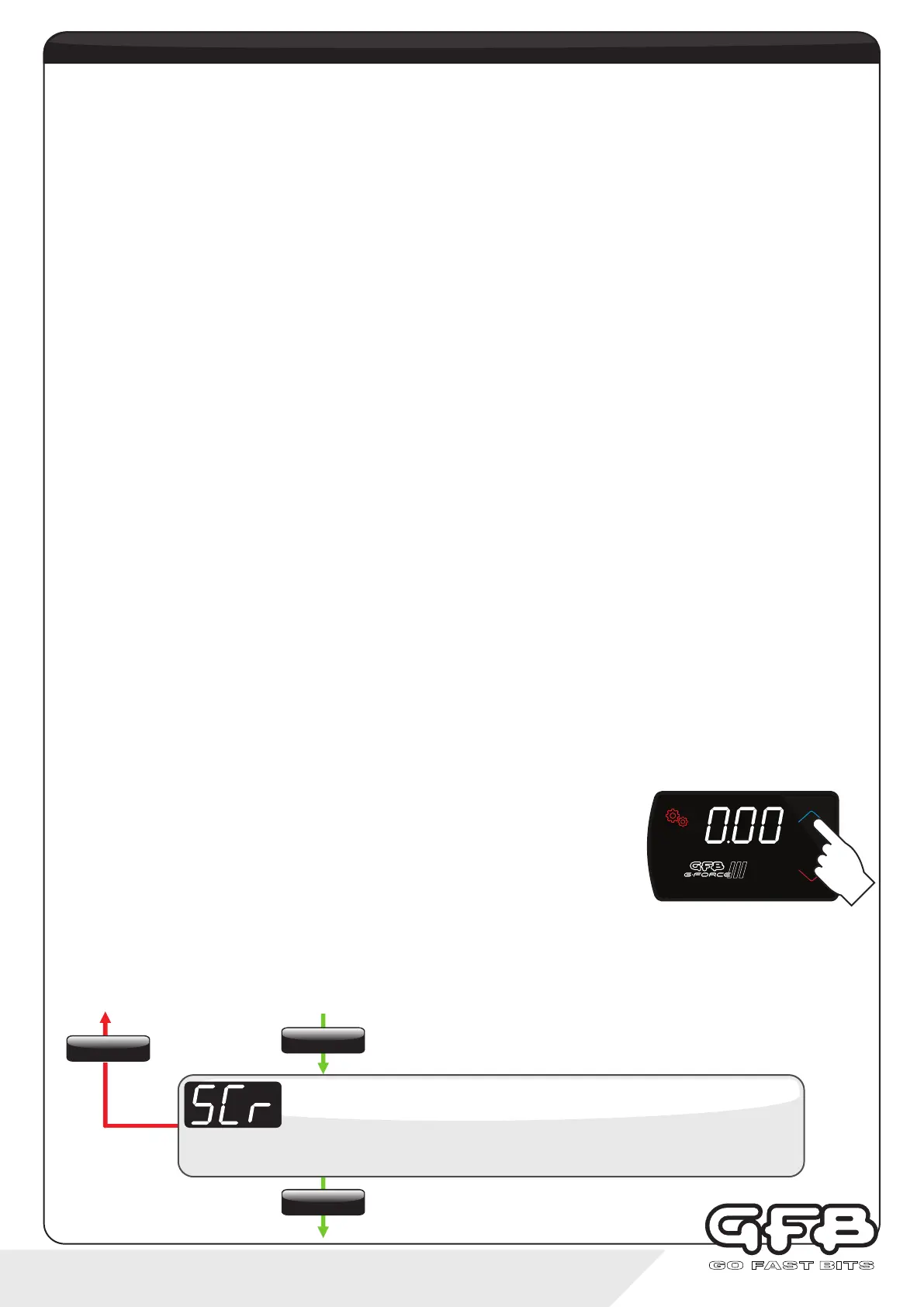
Navigate to the Scramble setting (display shows “SCr”, which then scrolls “SCr. SEC”) using the “SETTINGS” button,
then use the up/down buttons to adjust the scramble time. This setting is adjustable from 0-99 seconds (default is 0).
When 0 is selected, the Scramble feature is inactive.
Using the Scramble feature:
Once the SCr boost preset and Scramble Seconds are set up, you can activate the
Scramble feature at any time by tapping the “SCRAMBLE” button, or grounding the
remote input (see below). The “SCRAMBLE” button will change colour (you can alter
the colour that it changes to in the Colour menu, see page 16) and Scramble will
activate immediately. The scramble timer however will only start when you release the
button. The button will remain lit in a different colour to indicate that Scramble is active
until the timer finishes.
If you want to activate Scramble using a remote-mounted button, switch, ECU output etc, you need to first connect the
blue “Input 1" wire to the button/switch/ECU output you want to use (see page 3 for wiring diagram), then set “Input 1" to
“SCr” (see page 14, “Input Setup”). Once you have done this, the remote input will replicate the function of the
“SCRAMBLE” button, which will also change colour in the same way to indicate when the Scramble function is active.
11 - controller functions
Scramble Seconds
Display scrolls “SCr SEC”, followed by the current setting (default is “0”).
Use the up/down buttons to adjust time from 0-99 seconds.
To exit
scramble boost
SETTINGS
Tap
SETTINGS
Hold
SETTINGS
Tap
SETTINGS
PR ESET
SCRAMBLE


 To Next Page