Overboost is a safety feature that will turn off the solenoid if the boost pressure exceeds the limit set in this menu option.
This will help prevent damage to the engine if an accidental or incorrect adjustment is made to the controller, which is
particularly helpful during boost setup.
This is a “global” controller setting, and is shown in the same pressure units as the display. It functions the same for
every boost memory regardless of whether the gauge is showing boost or air/fuel ratio.
The factory default value for Overboost is 100kPa (1bar, or 14.5psi). Overboost is adjustable between 0 - 345 kPa (0 -
3.45 bar, 0 - 50 psi). If you do not want to use this feature, simply set it to the maximum boost pressure.
It is strongly advised that Overboost is set BEFORE making boost pressure adjustments. You should choose a
maximum limit slightly above your intended peak boost pressure so it doesn’t trigger prematurely with small boost
fluctuations. Typically, a good setting for Overboost is 10% higher than your peak target boost.
NOTE: The Overboost feature CANNOT protect against a boost overshoot caused by a stuck wastegate or popped
wastegate/solenoid hose connection, since these kinds of failures are outside of the G-Force III’s control.
If you hit the Overboost function when driving, the display will show “Cut”, and the buttons will flash red.
Ÿ From Running Mode, use the “SETTINGS” button to navigate to the Overboost setting (display scrolls “OVEr bSt”)
Ÿ Use the “UP/DOWN” buttons to adjust the value
Ÿ Tap “SETTINGS” to save and move to the next menu item, or hold “SETTINGS” to save and exit to Running Mode
12 - controller functions
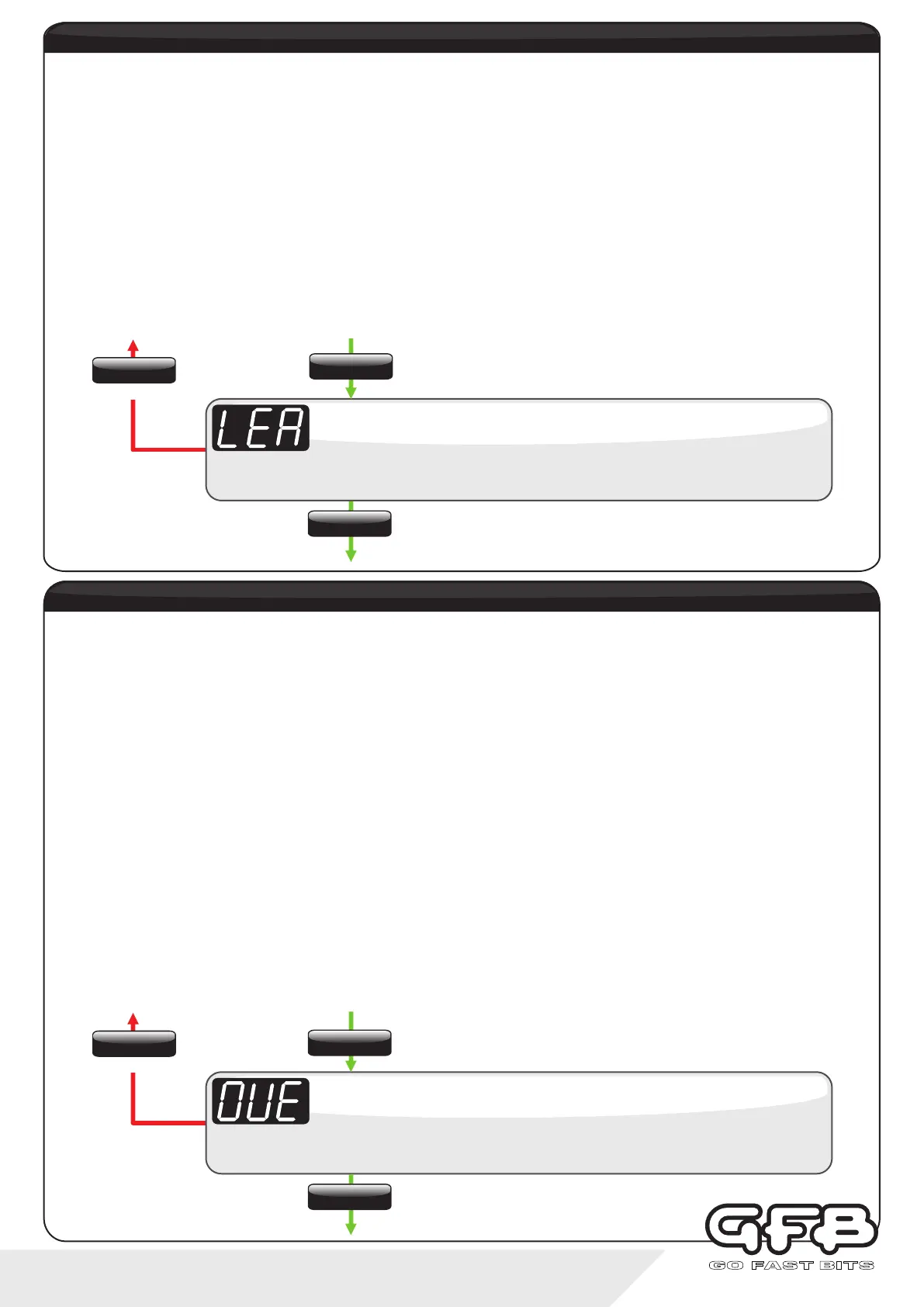
Display scrolls “OVErbOOSt”, followed by the current setting (default is “100kPa,
1.00bar, or 14.5psi depending on what boost units you set).
Overboost
Use the up/down buttons to adjust the value from 0-345 kPa (0-3.45bar, 0-50psi)
To exit
overboost
Lean Cutout (when enabled through Input 2 setup, page 14) is a safety feature which will instantaneously switch off the
boost control solenoid to lower boost pressure to protect the engine if it runs leaner than this user-adjustable AFR value
AND the boost pressure is greater than 80% of your peak “target” boost. For this feature to work correctly, you need to
ensure you have recorded a peak “target” boost in the Duty Cycle menu (see page 8).
Lean Cutout is a global setting, and once set up will function in all presets regardless of whether the display is showing
boost or air/fuel ratio.
This setting appears in the same units as what you set the AFR gauge to (see page 14, “In.2" setting). If you have
chosen AFR, the Lean Cutout value can be adjusted between 3.2:1 and 25.5:1. If you are using Lambda, the Lean
Cutout value is adjustable between 0.50 and 1.50.
Note the default setting is 25.5 AFR/1.5 Lambda, which effectively turns this function off. This Lean Cutout value should
be lowered to just above the maximum air/fuel ratio you expect to see when the car is at full boost.
If you hit the Lean Cutout when driving, the display will show “AFr”, and the buttons will flash red.
Displays “LEA”, followed by the current setting (default is “25.5” if using AFR units,
or “1.50" if using Lambda).
Lean Cutout
Use the up/down buttons to adjust value from 3.2-25.5:1 AFR (0.50-1.50 if Lambda)
To exit
Lean Cutout
SETTINGS
Tap
SETTINGS
Tap
SETTINGS
Tap
SETTINGS
Hold
SETTINGS
Tap
SETTINGS
Hold


 To Next Page