13 - controller functions
Display allows you to configure the boost gauge display to read boost pressure in kPa (default), BAR or PSI.
Note that when PSI is selected, vacuum is displayed in inHg (inches mercury), which is the same as found on most psi
unit boost gauges.
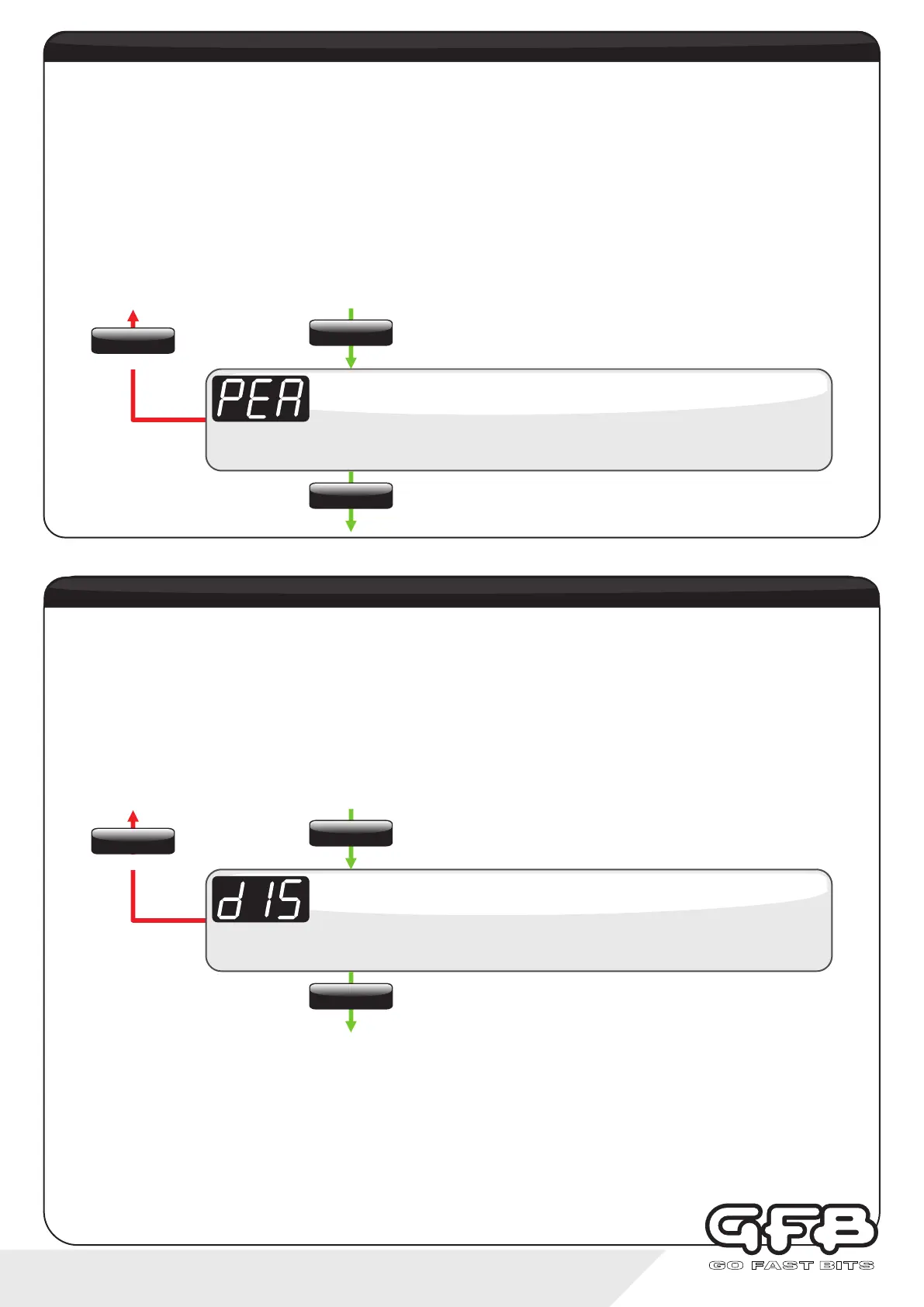
Ÿ From Running Mode, use the “SETTINGS” button to navigate to the Display setting (display scrolls “dISP”)
Ÿ Use the “UP/DOWN” buttons to select from “KPA” (default), “BAR” or “PSI”
Ÿ Tap “SETTINGS” to save and move to the next menu item, or hold “SETTINGS” to save and exit to Running Mode
display setting - units of pressure
Display scrolls “dISP”, followed by the current setting (default is “KPA”).
Display
Use the up/down buttons to adjust the value from kPa, BAR, or PSI
To exit
The Peak Hold function (when activated in the menu) will momentarily display the highest boost pressure recorded
during a boost run, and the display is set to show boost pressure (not during AFR display).
Whenever the manifold starts to see positive boost pressure, Peak Hold will begin recording and will displayed the
highest achieved value for 3 seconds as soon as the manifold drops back into vacuum. Each time the manifold goes into
boost, Peak Hold is cleared and it starts recording again.
Peak Hold can be set to “ON” or “OFF”.
Ÿ From Running Mode, use the “SETTINGS” button to navigate to the Peak Hold setting (display scrolls “PEAK”)
Ÿ Use the “UP/DOWN” buttons to toggle it on or off
Ÿ Tap “SETTINGS” to save and move to the next menu item, or hold “SETTINGS” to save and exit to Running Mode
peak hold
Display scrolls “PEAK”, followed by the current setting (default is “OFF”).
Peak Hold
Use the up/down buttons to turn Peak Hold on or off
To exit
SETTINGS
Tap
SETTINGS
Hold
SETTINGS
Tap
SETTINGS
Tap
SETTINGS
Hold
SETTINGS
Tap


 To Next Page