14
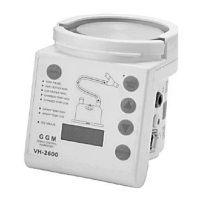
Wipe the humidifier clear of any cleaning residues before use.
1. Disconnect the humidifier from any electrical outlet.
2. Clean the humidifier with one of the following recommended disinfectants using a damp cloth:
a. Isopropyl Alcohol
b. Normal dishwashing detergent
NOTE: Follow the manufacturer’s instructions carefully.
NOTE: Use the correct dilution of the disinfectant.
NOTE: DO NOT immerse the humidifier in any liquid.
3. Wipe the humidifier clear of any cleaning residues before use.
4.1.2. Temperature Probe
The cleaning methods listed below comply with FDA regulations for these types of equipment and do not
affect the integrity or performance of the temperature probe.
Please contact your local dealer for suggestions on other cleaning methods not mentioned here.
1. Clean the probe and remove all visible contaminants by physically.
2. Use the following solutions to sterilize the temperature probe:Sporicidin
TM
、Sporox
TM
、Cidex
TM
、Cidex
TM
OPA or Ethylene Oxide sterilization. The temperature probe was sterilized at 55 ° C (131 ° F) and 80 kPa,
allowing the remaining ETO to evaporate at least 15 hours before use.
NOTE:Please follow the manufacturer's instructions. Use the correct dilution disinfectant.
Warning:Do not immerse the connector plug in the disinfectant.
Do not use autoclaves.
Do not use detergent or solvent.
3. Wipe the patient end temperature probe before use
4. Stored in a clean environment.
4.1.3. Heater Wire Adapter
Clean the heater wire at with one of the following recommended disinfectants using a damp cloth:
a. Isopropyl Alcohol
b. Normal dishwashing detergent
4.1.4. Mains Plug
If the mains plug detachable design, check whether the screw is locked or not.



 To Next Page