24
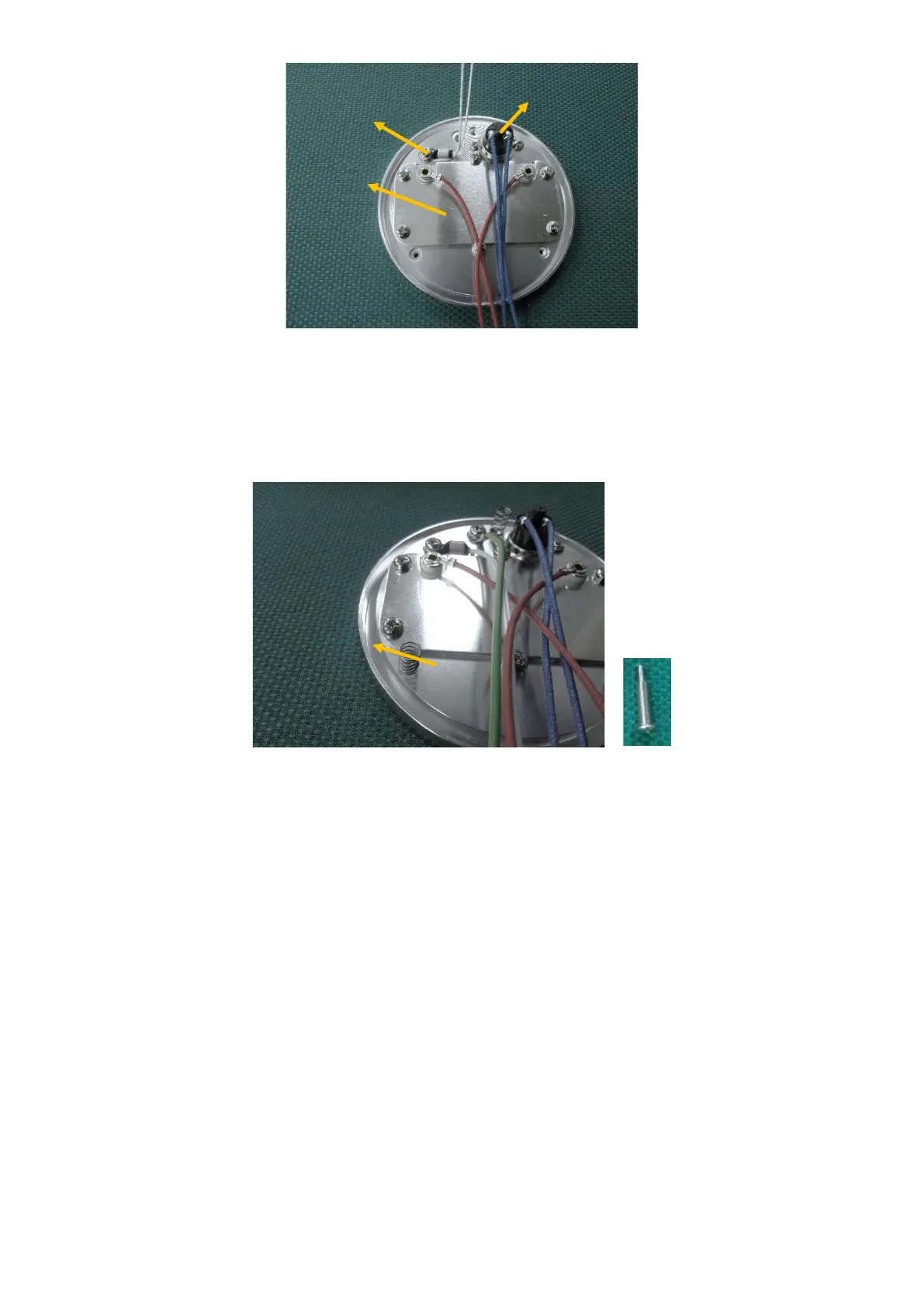
4. Remove the three screws holding the heater plate.
5. Place the new thermistor into position, and attach using the screw.
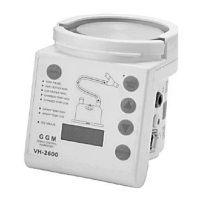
6. Replace the fixing screw.
7. Place heater plate back into position, ensuring the springs underneath the heater plate are in place. Attach
to the humidifier's case using the three long screws that were previously removed..
8. Connect the mica cable, thermistor and thermal cutout harnesses to the power PCB.
9. Close the case.
6.2.7. Checking the heater plate element
1. Open the case.
2. Disconnect the mica cable, thermistor and thermal cutout harnesses from the power PCB.
3. Remove the three screws holding the heater plate.
4. Measure the resistance between the 2 contacts on the mica connector.



 To Next Page