©Ghost Controls
®
2020
52
PUSHTOOPEN
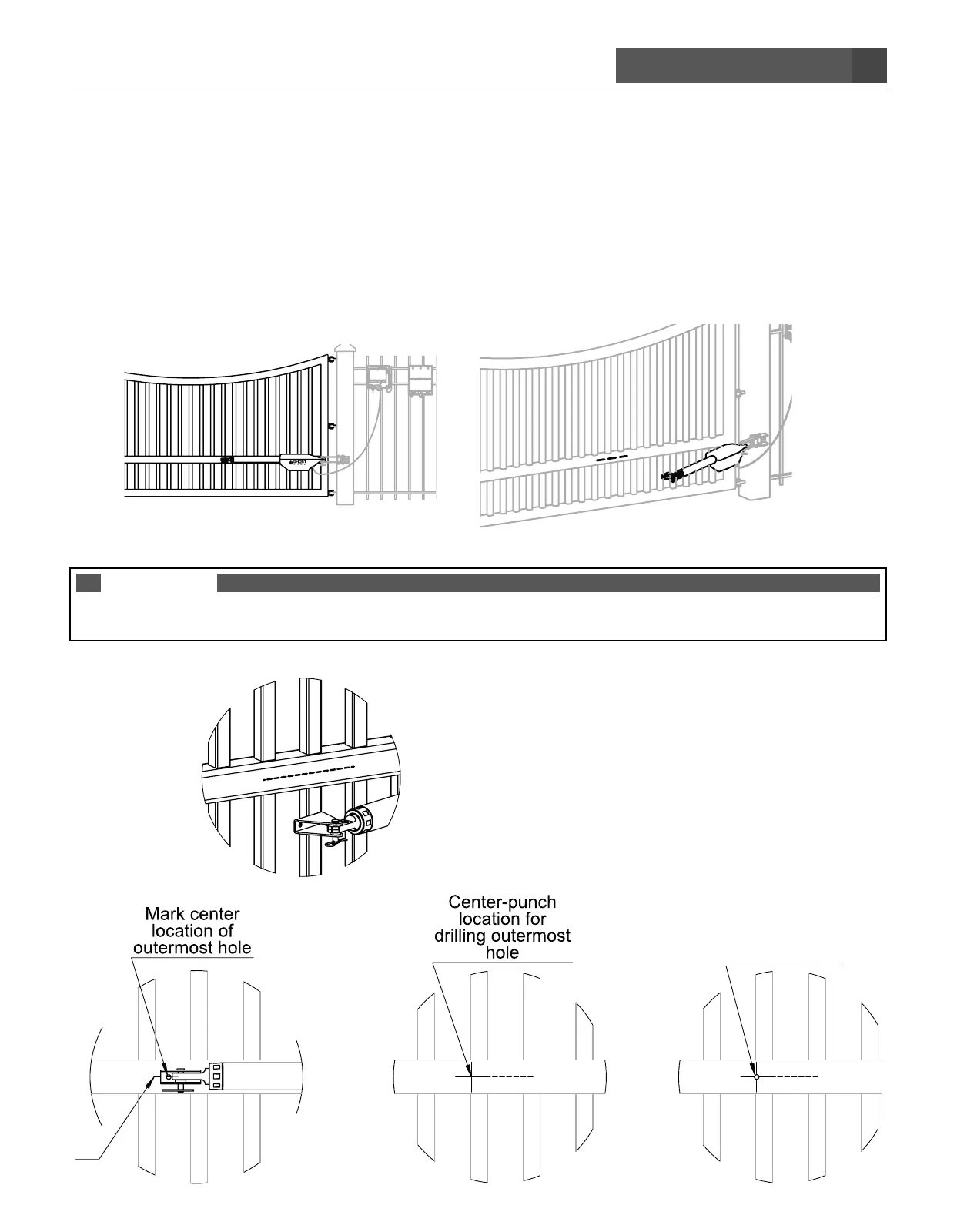
STEP 14. Mounting the FRONT MOUNT AND ESTATE BRACKET to gate. The gate must
remain in the desired closed position
CLOSE THE GATE TO THE DESIRED CLOSED POSITION
(this will be the position that your gate will close to)
A. Line up the pre-assembled front mount gate bracket over the center-most bar on your gate and mark the
center location of the outermost hole on the gate.
NOTE
DO NOT SCREW THE OPERATOR ARM IN OR OUT TO ADJUST YOUR GATE POSITION. DOING SO
CAUSES THE SYSTEM TO NOT FUNCTION PROPERLY.
CL
Drill hole


 To Next Page