31
PULLTOOPEN
©Ghost Controls
®
2020
WARNING
DO NOT SCREW THE OPERATOR ARM IN OR OUT TO ADJUST YOUR GATE POSITION. DOING SO
CAUSES THE SYSTEM TO NOT FUNCTION PROPERLY.
TURN THE CONTROL BOX OFF
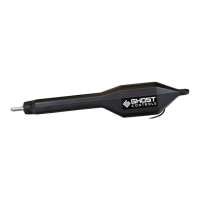
STEP 13. Attach the front mount bracket to the operator. The gate must remain in
the desired open position.
OPEN THE GATE TO THE DESIRED OPEN POSITION
A. Temporarily assemble the front mount of the gate by inserting the supplied 10mm x 40mm clevis pin, 10mm
I.D. nylon spacer, and clevis hairpin through the gate bracket.
NOTE
ALTERNATE TUBE GATE BRACKETS FOR MOUNTING TUBULAR GATES. (NOT FOR USE WITH FLAT PANEL
GATES) see below image. Tube brackets (AXTB) sold separately.


 To Next Page