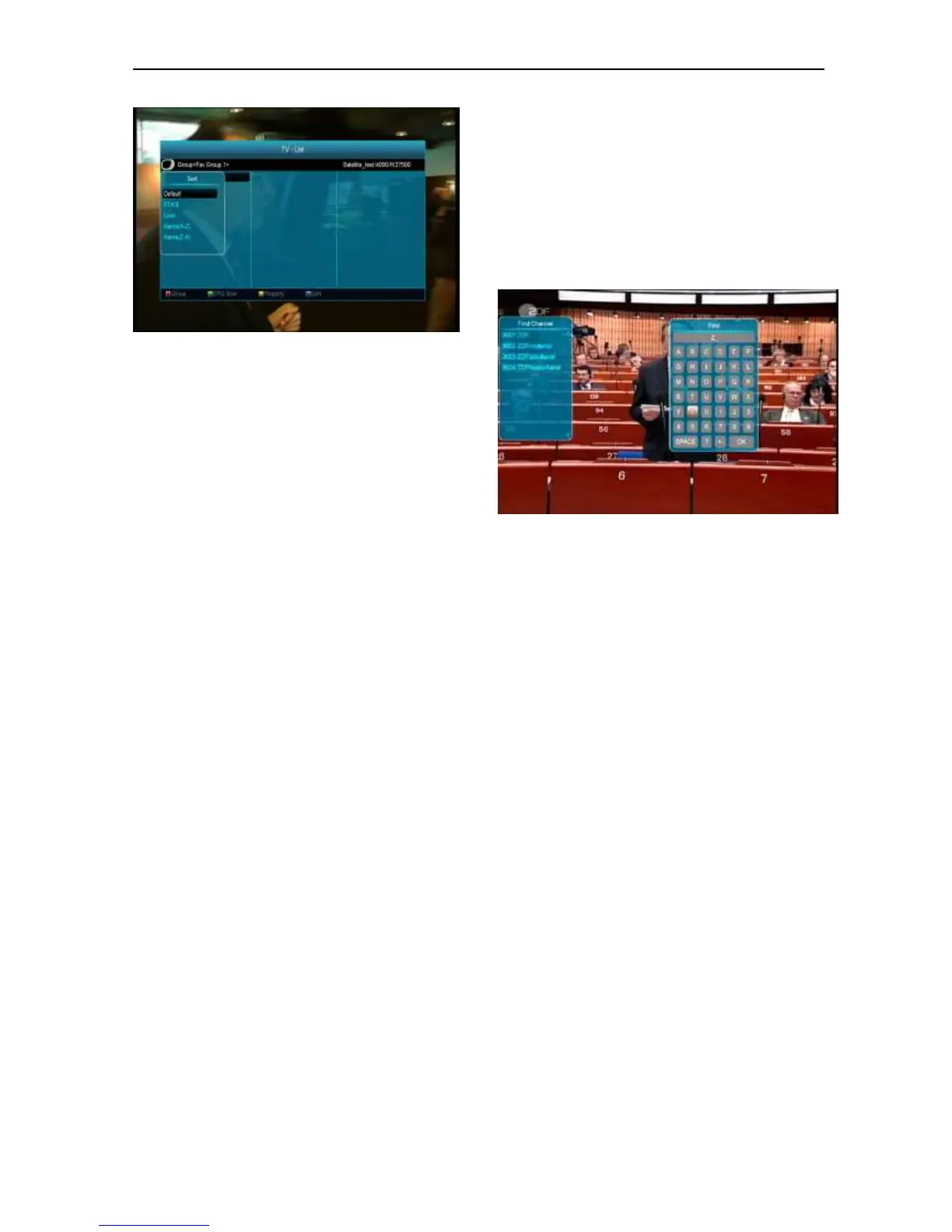
6 The five kinds of sorting way are:
Default: Sorting by scanning result.
FTA/$: Sort channel through free and
scramble sequence. Free channel will in the
front of channel list and scramble channel will
at the rear of channel list
Lock: Accumulated all locked channels and
list in the last of TV Channel List.
Name (A-Z): Sorting in Alphabetical Order,
ignore “$” symbol.
Name (Z-A): Sorting in Alphabetical Order,
ignore “$” Symbol.
7 Press [Up/Down] key to move highlight and press
[OK] key to play the highlighted channel.
8 Press [Page Up/Down] key to page up and page
Down.
9 Press [Exit] key to exit the channel list.
8.15 Sleep
1 This function can set sleep timer. When you set a
sleep timer and the time arrive, the system will
enter to standby automatically.
2 Pressing [SLEEP] key, it will switch the mode
between Sleep Timer Off /10/30/60/90/120
minutes.
8.16 Page Up/Page Down
In Channel list, press [Page+/Page-] key can page up
and page down the channel list.
8.17 TEXT
1 Press [green] key in full screen, you can open
teletext page on the channel which has teletext
information.
2 If the channel has no teletext information, it will
show “No Teletext Data” on the screen.
8.18 Subtitle
1 Press [Yellow] key in full screen, you can switch
subtitle on or off.
8.19 Find
1 Press[Find] key in full screen can open the “Find”
window like above. You can press[Channel
Up/Channel Down/Volume Up/Volume
Down]key to move highlight and
press[OK]key to input the selected symbol
or letter into the dialogue.
2 After input each character, the program list
on the left will search the channel
according your input, and list the matched
channel.
3 Move highlight to “OK” and press [OK] key
can close “Find” window and you can select
channel from the channels list directly.
8.20 Zoom
1 The [ZOOM] key allows you to magnify a certain
area on the images
2 Press [ZOOM] key again, the image will enlarge
rotate as x1, x2, x4, x6, x8, x12, x16.
3 In “x2 ~ x16” image, using [Up/ Down/ Up/ Down]
keys to move the image center area you want to
see.
4 In zoom mode, press [Exit] to close “Zoom”
window.


 To Next Page