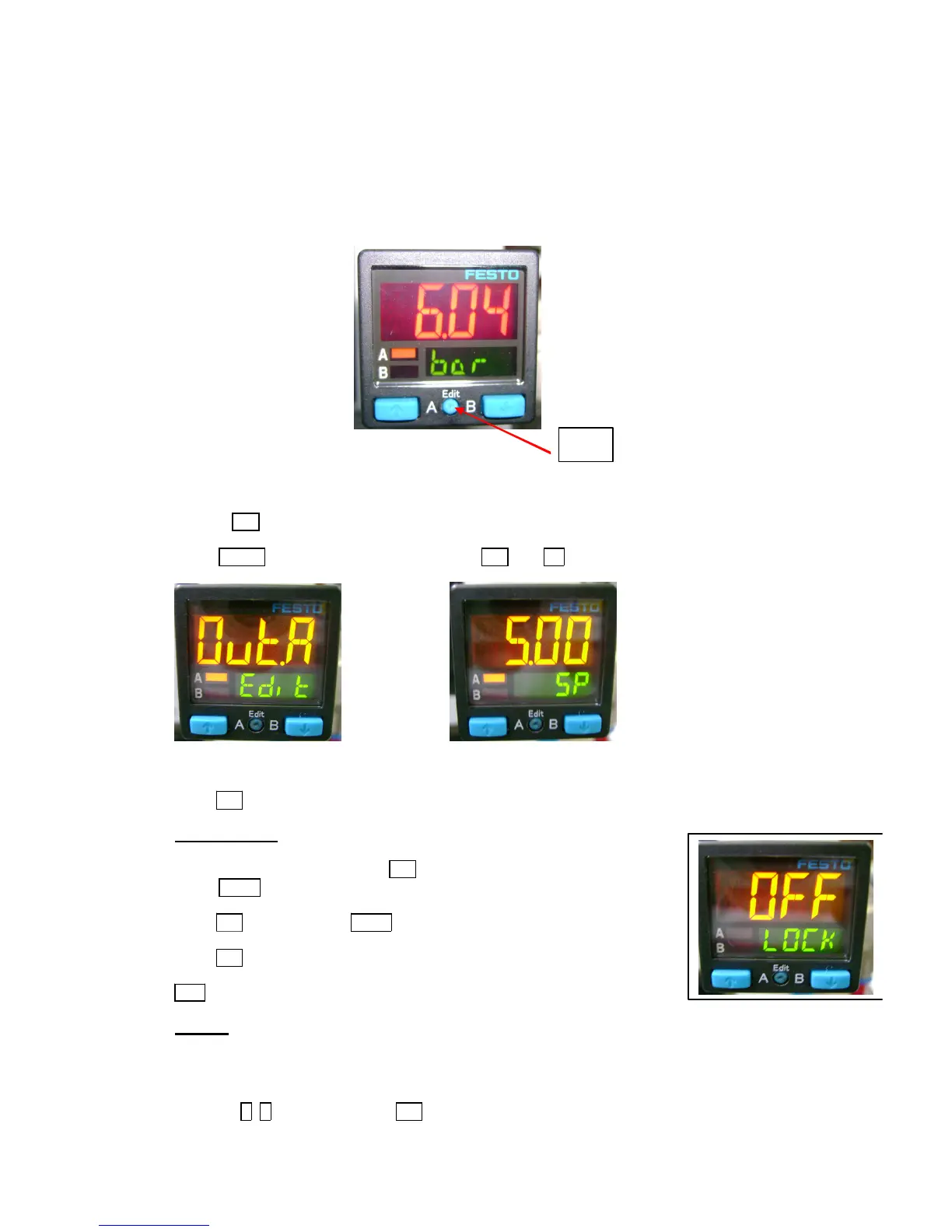
1/ Connect the blue wire to the 0v (4).
-the black wire to the pressure switch input
-the brown wire to the +24v (3)
/ Set the pressure to 6 bars using the main pressure regulator.
elect OUT A and then press several times on Edit until SP.
et SP to 5 bars (pressure switch triggers) using the arrows.
ress Edit several times until the supply pressure is displayed.
o enter the access code: Press Edit.
elect SPEC with the arrows.
ress Edit repeatedly until LOCK is displayed.
ress Edit several times until the supply pressure is displayed.
FF means that the keyboard is not locked with a code.
f the access code is lost, a reset of the pressure switch is possible.
isconnect the power supply.
ress the A, B (arrows) keys and Edit.
onnect the power supply again.
FESTO SPAB PRESSURE SENSOR PROGRAMMING 14-1051


 To Next Page