User Guide
GD32450Z-EVAL
37
Learn to use USART module to implement time display
5.22.2. DEMO running result
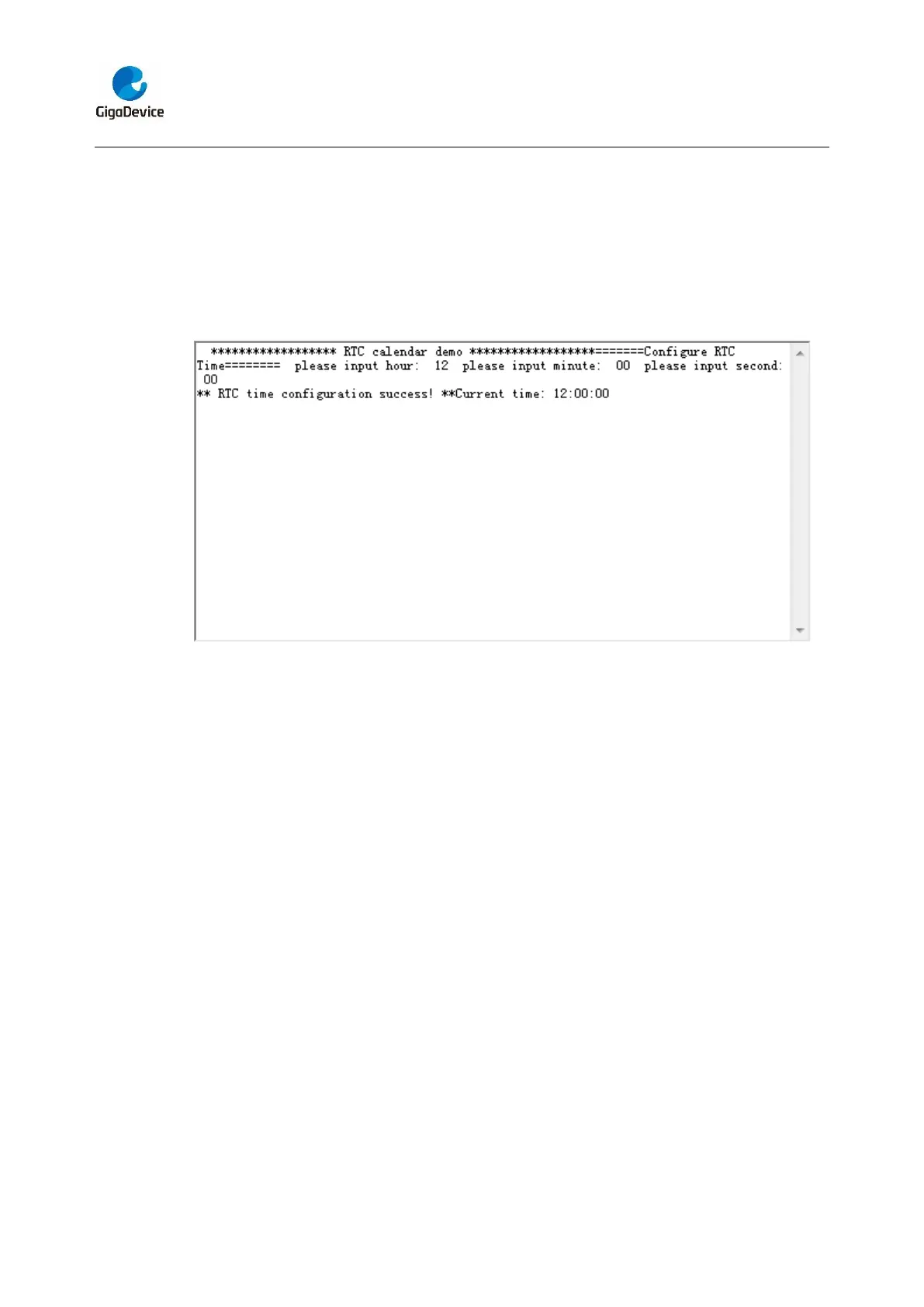
Jump the JP5 to USART with the jumper cap, and download the program
<22_RTC_Calendar> to the EVAL board and run. Connect serial cable to COM0, open
the HyperTerminal. After start-up, the program will ask to set the time on the
HyperTerminal. The calendar will be displayed on the HyperTerminal.
5.23. TIMER_Breath_LED
5.23.1. DEMO purpose
This demo includes the following functions of GD32 MCU:
Learn to use Timer output PWM wave
Learn to update channel value
5.23.2. DEMO running result
Use the DuPont line to connect the TIMER1_CH2 (PB10) and LED1 (PD4), and then
download the program <23_TIMER_Breath_LED> to the board and run.When the
program is running, you can see LED1 lighting from dark to bright gradually and then
gradually darken, just like breathing as rhythm.
5.24. TLI_IPA
5.24.1. DEMO purpose
This demo includes the following functions of GD32 MCU:


 To Next Page