19
Gigaset Maxwell basic / LUG IE-UK en / A31088-N4002-R101-3-7619 / call_lists.fm / 6/9/16
Template Go, Version 1, 01.07.2014 / ModuleVersion 1.0
Call lists
Call lists
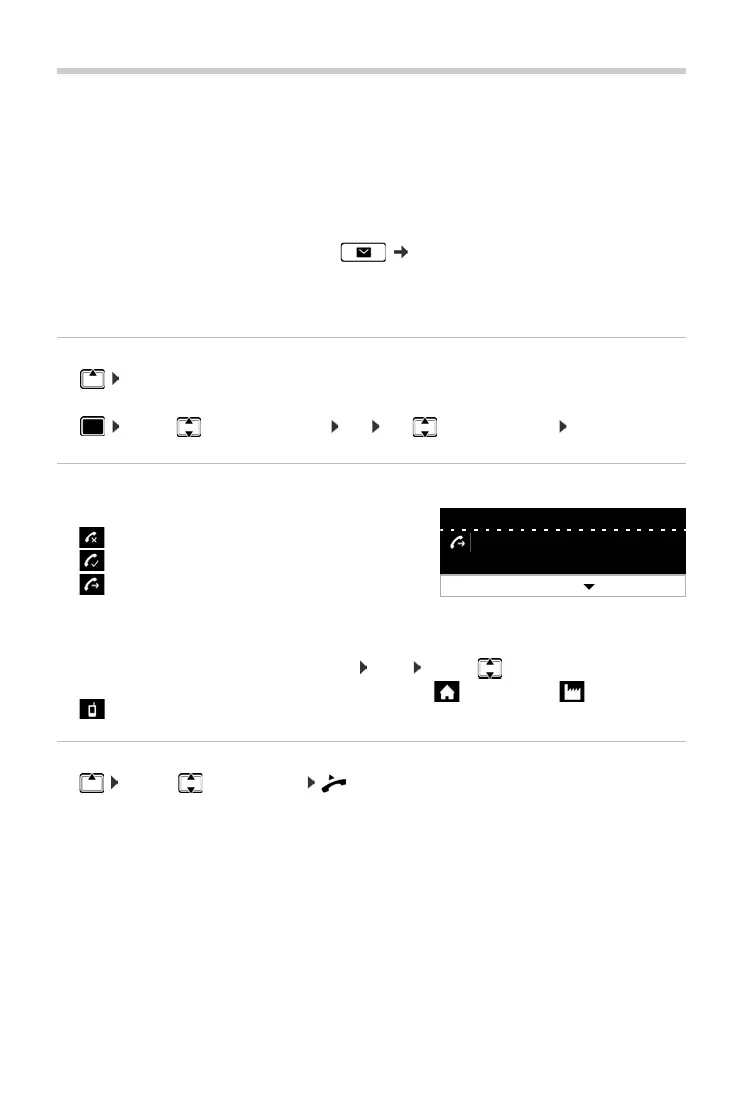
The telephone saves different types of calls in lists. The following call lists are available:
If the call list is full, a new entry overwrites the oldest.
Opening the call list
¤ . . . the list All Calls is displayed
or
¤ . . . use to select Call Lists OK use to select list type OK
Information about the calls
•
Caller's number. If the number is saved in the directory, the name is displayed instead.
• Date and time of the call
Displaying more information about an entry: View . . . use to scroll through the entry
• Number type (if the caller is entered in the directory): Phone Home, Phone Office,
Phone Mobile
Calling back a caller
¤ . . . use to select entry lift handset . . . the number is dialled
All Calls All outgoing, accepted and missed calls.
Accepted Calls Calls that were accepted.
Missed Calls Calls that were not accepted.
Missed calls that have not yet been viewed can also be accessed via
the Me
ssage key ( p. 19).
Outgoing Calls Last selected numbers (redial list).
• Icon for the call type:
Missed Calls,
Accepted Calls,
• Outgoing Calls
View Options
All Calls
Peter Brown
08901234567890
Today
10:30



 To Next Page