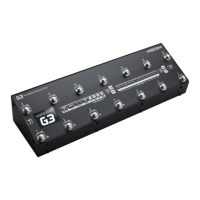
Need help?
Do you have a question about the GigRig G3 ATOM and is the answer not in the manual?
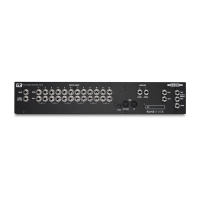
Details physical connections on the G3 Atom's rear panel for input and output.
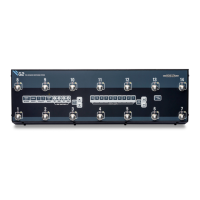
Explains the functions of the G3 Atom's top panel controls and interface.
Step-by-step guide for connecting pedals and amplifiers to the G3 Atom.
Instructions for creating and saving presets by selecting loops and functions.
How to add loops or functions on top of standard presets for flexible sound.
Guide on accessing and navigating the G3 Atom's Deep Edit Menu.
Connecting your guitar and tuner to the G3 Atom's input and auxiliary output.
Details the six mono effects loops and their versatile setup options.
Connecting amplifiers via Output 1 (earthed) and Output 2 (isolated).
Connecting remote switches and MIDI devices for expanded control.
Using EXP1 and EXP2 ports for expression pedals to control gain or MIDI CC.
Illustrates common mono and stereo connection setups for the G3 Atom.
Guide for integrating the G3 Atom with your amplifier's effects loop.
How to create, program, and save presets on the G3 Atom.
Adding functions or loops to presets for on-the-fly sound adjustments.
Learn the three ways to access and switch between G3 Atom's preset banks.
Overview of the Deep Edit Menu for advanced system and preset configuration.
Using footswitches to move through the various Deep Edit menu options.
Configuring core G3 Atom parameters like outputs and phase.
How to name and edit individual presets within the G3 Atom.
Utilizing MIDI for Program Change, Control Change, and Expression Pedal commands.
Assigning expression pedals to control Pre Gain or Post Gain levels.
Customizing the sequence of effects loops within a preset.
Selecting between Standard, Sticky, and Flash modes for Stompbox presets.
Enabling spill-over effects for reverb and delay when changing presets.
Configuring parallel, Wet/Dry, and stereo signal paths.
Step-by-step process for enabling, splitting, and rejoining parallel signal paths.
Illustrates parallel setups for overdrive, distortion, wet/dry, and stereo effects.
Configuring the number of banks and assigning bank select controls.
Enabling Bluetooth for app connectivity and performing software updates.
Activating hidden presets and managing global phase settings.
Adjusting screen backlight and performing bank or factory resets.
Checking the G3 Atom's software version and serial number.
Guide for updating G3 Atom firmware using the G3 App and Bluetooth.

 To Next Page
 General