Need help?
Do you have a question about the GigRig G3 and is the answer not in the manual?
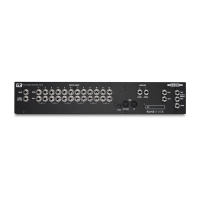
Details the physical connections available on the rear panel of the G3 unit.
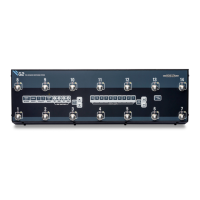
Overview of the controls and buttons located on the top surface of the G3.
Step-by-step guide on how to connect external devices and cables to the G3.
Instructions on how to program and save presets on the G3 device.
Explanation of how to use the Stompbox Mode for flexible sound creation.
Guide to accessing and moving through the advanced Deep Edit menu options.
Describes how to connect your instrument to the G3's input jack.
Explains the function of the Tuner/Auxiliary output for silent tuning or other uses.
Details the 12 mono effects loops and their configuration possibilities.
Information on connecting the G3's main outputs to amplifiers or audio interfaces.
How to use the remote switch sockets for external control of the G3.
Specific instructions for using a momentary switch to control bank selection remotely.
Details on connecting MIDI devices for external control and sequencing.
Requirements and recommendations for powering the G3 unit.
How to connect and use expression pedals with the G3 for control.
Visual examples demonstrating common connection setups for mono and stereo effects.
Core instructions for creating and saving presets, including loop and function assignments.
How to use Stompbox Mode to add or subtract functions from standard presets.
Methods for navigating through the G3's 99 banks of presets.
An overview of the various advanced functions accessible through the Deep Edit menu.
Instructions on how to access and navigate the comprehensive Deep Edit menu system.
Enables naming banks with song titles or numbers for better organization.
Allows selection of the total number of banks to be used, from 1 to 99.
Activates the external jack socket for using momentary switches as bank selectors.
Configures a footswitch to function as a bank up control.
Configures a footswitch to function as a bank down control.
Enables Bluetooth connectivity for pairing with the G3 iOS App.
Allows downloading the latest software version to the G3.
Enables or disables the secondary hidden preset feature for each standard preset.
Configuration for pairing mono loops to create stereo effects loops.
Adjusts the phase polarity for Output 2 to resolve phase cancellation issues.
Adjusts the brightness level of the G3's LCD screen.
Controls the visibility of the status bar on the preset display screen.
Resets a specific bank of presets back to their default factory settings.
Wipes all data and restores the G3 to its original factory settings.
Silences the signal momentarily to eliminate popping sounds during switching.
Initiates features related to the G3 EXT Kit.
Used for changing the G3's software for the next power cycle.
Allows customization of the G3's screen color scheme.
Displays the current software version and G3 serial number.
Guide to updating the G3's firmware via the iOS app and Bluetooth connection.
How to create, manage, and send song lists to the G3 for preset organization.
Instructions for backing up G3 presets and settings to the iOS app.
How to load a previously saved backup file onto the G3 from the iOS app.

 To Next Page
 General