THE ADVANCED SWITCHING SYSTEM
THE GIGRIG G3 USER MANUAL
reset preset – resets the preset
reset midi – resets the midi information in the selected preset
reset loop – resets the loop information only
5.3 HIDDEN PRESET
How it works:
G3 enables you to have a secondary preset for any standard preset. To programme this:
a. Enter the Deep Edit Menu and scroll down to Global setup, then scroll down
(2) to hidden preset then press (4).
b. Once hidden preset is enabled to globally, it can be engaged per preset, via
the hidden preset sub-menu within main deep edit.
The normal presets in G3 are numbered 1 to 14 and the hidden presets are
numbered 15 to 28, giving you up to 28 presets per bank.
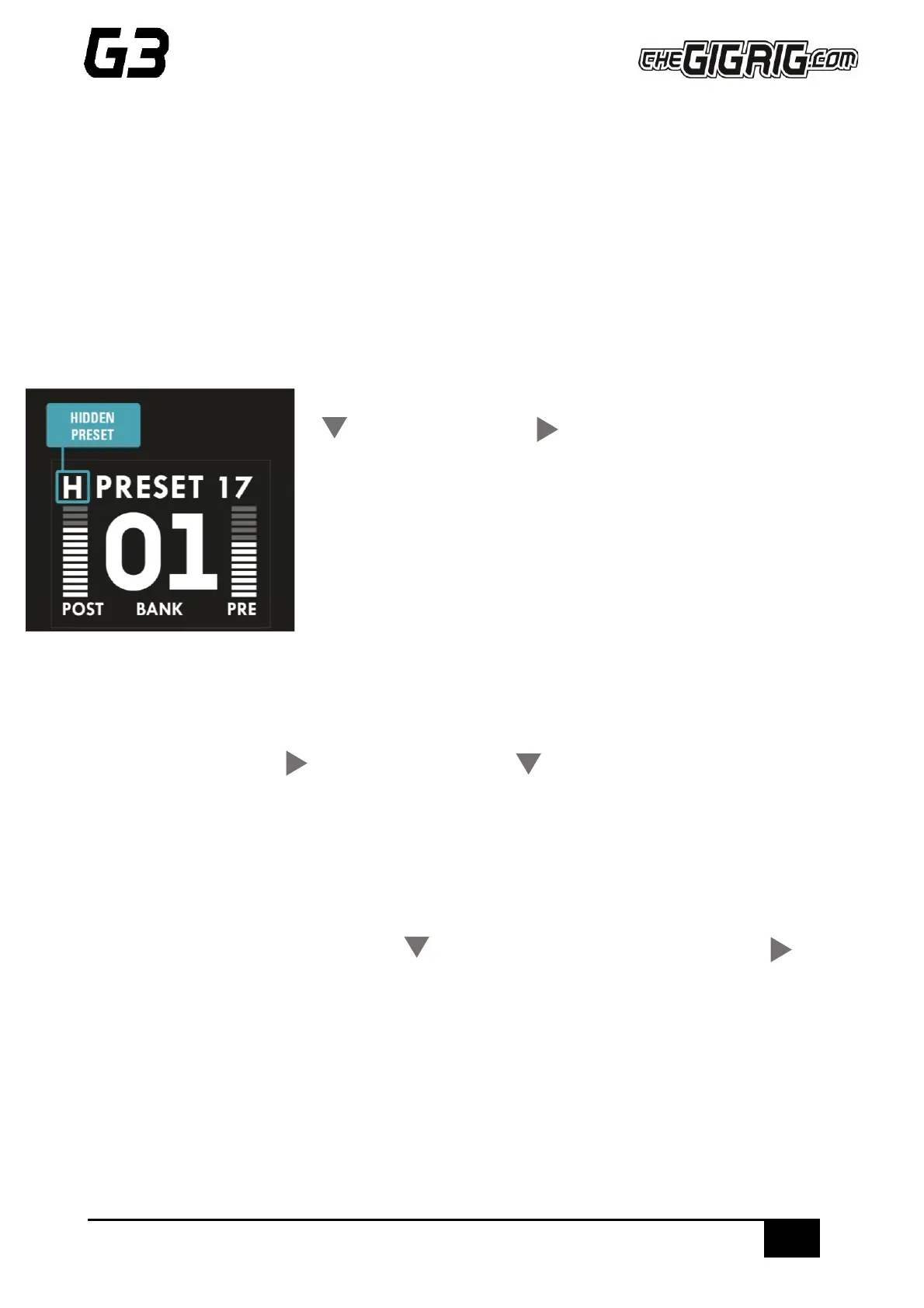
Once you have turned the Hidden Preset on, press the preset a second time to
go to the hidden preset. This will be indicated by an ‘H’ in the upper left-hand
side of G3’s screen.
5.3.1 TUNER
G3 features an inbuilt chromatic tuner. To enable the tuner;
a. Select the preset you wish to use for your tuner (a hidden preset is a great option for this).
b. Enter the menu using (4) and scroll using footswitch (2) down to the TUNER option.
c. Scroll right and choose from ‘enabled with mute’ which mutes the output, or ‘enabled with no mute’,
which will tune without muting the signal.
5.3.2 SUBTRACTIVE STOMP
Subtractive Stomp allows you to use a StompBox mode preset to remove any function from a standard preset.
a. Select the preset you wish to enable Subtractive Stomp.
b. Scroll down the menu using footswitch (2) to sub.stomp then scroll right using footswitch (4)
to enable.
c. Programme the preset and include the loop or function you want to be able to remove.
d. Programme a StompBox mode preset with the same loop/function.
e. Select the normal preset.
f. Select the StompBox mode preset. Press once to engage the loop/function, press again to remove it.
6. GLOBAL SETUP
GLOBAL SETTINGS:


 To Next Page