5-2
Troubleshooting 5
Error Messages
Error Messages
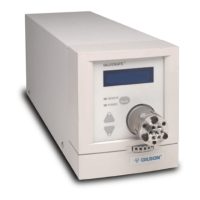
If an error message appears on the VALVEMATE,
refer to the following table.
Error Description Solution
10 NV-RAM Error There is a problem in the VALVEMATE software. Reset its
parameters by turning OFF power. Then hold down the
MODE key while turning ON power.
11 Position Error The VALVEMATE is having difficulty rotating the valve. Try
replacing the valve seal. Refer to the instruction sheet
supplied with the valve.
12 Homing Error The VALVEMATE cannot home the valve. Ensure that the
appropriate valve is selected in the VALVEMATE software.
Check that the valve is secure within the coupling and, if
necessary, tighten the internal coupling screws via the side
panel and tighten the front-panel thumbscrew. Turn power
OFF then ON to the VALVEMATE.
14 Illegal Position The VALVEMATE received a GSIOC command or input
signal instructing it to turn the valve to an invalid position.
Send the appropriate contact signal or GSIOC command.
Artisan Technology Group - Quality Instrumentation ... Guaranteed | (888) 88-SOURCE | www.artisantg.com


 To Next Page