
 Need help?
Do you have a question about the Gilson VALVEMATE and is the answer not in the manual?
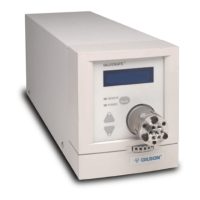
The Gilson VALVEMATE® Valve Actuator provides automatic rotation of a 2-position or multi-position, low- or high-pressure valve.
The VALVEMATE has the following modes: Position, Unit ID, Baud rate, Valve, and Service.
All status, parameter, and error codes appear on the front panel display.
Unpack the VALVEMATE and its accessories carefully from the carton. Check contents.
Gilson, Inc. and its worldwide network provide assistance: sales, technical applications, and instrument repair.
Details the instrument's specifications, including FCC compliance and operating requirements.
Details electrical connections and setup for the VALVEMATE's rear panel, including FUSE and MAINS.
Guides on plumbing the VALVEMATE into a system, covering Rheodyne and Hamilton valves.
Instructions on how to check and modify the Unit ID for external control of the VALVEMATE.
Directions for replacing or installing a valve, ensuring it's in its home position before installation.
Procedures to verify correct valve installation by checking liquid flow through ports for different valve types.
Troubleshooting steps if power is lost during valve installation, affecting coupling alignment.
Details how to use the VALVEMATE's front panel for complete valve control via keys and display.
Instructions on powering up the VALVEMATE and accessing the valve's current position display.
How to change the valve's position using the up/down arrow keys on the front panel.
Explains how to remotely control valve rotation using contact closure pins on the VALVEMATE's rear panel.
Instructions for safely disconnecting power and replacing blown fuses in the VALVEMATE.
Table listing VALVEMATE error codes, their descriptions, and recommended solutions.
Guidance for common issues like power indicator not lighting, erratic noise, or input functions not operating.
Addresses issues with fluid flow, including misaligned valves, incorrect plumbing, or clogged valves.
Information on how to get service, including warranty and non-warranty repair procedures.
Lists part numbers and descriptions for various Rheodyne high-pressure stainless steel and PEEK valves.
Lists part numbers and descriptions for Rheodyne low-pressure Teflon and Hamilton valves.
Lists part numbers and descriptions for various Rheodyne and Hamilton valves available as replacements.
Lists adapter kits, wrenches, tubing, fittings, and other accessories for the VALVEMATE.
Provides graphical representations of flow paths for different Rheodyne valve models in various positions.
Provides graphical representations of flow paths for different Hamilton valve models.
Explains the Gilson Serial Input/Output Channel (GSIOC) interface for controlling Gilson equipment.
Details the types of GSIOC commands (Buffered, Immediate) and provides examples for controlling the VALVEMATE.
 General
| Brand | Gilson |
|---|---|
| Model | VALVEMATE |
| Category | Controller |
| Language | English |

 To Next Page