3-2
Operation 3
Front Panel Control
Front Panel Control
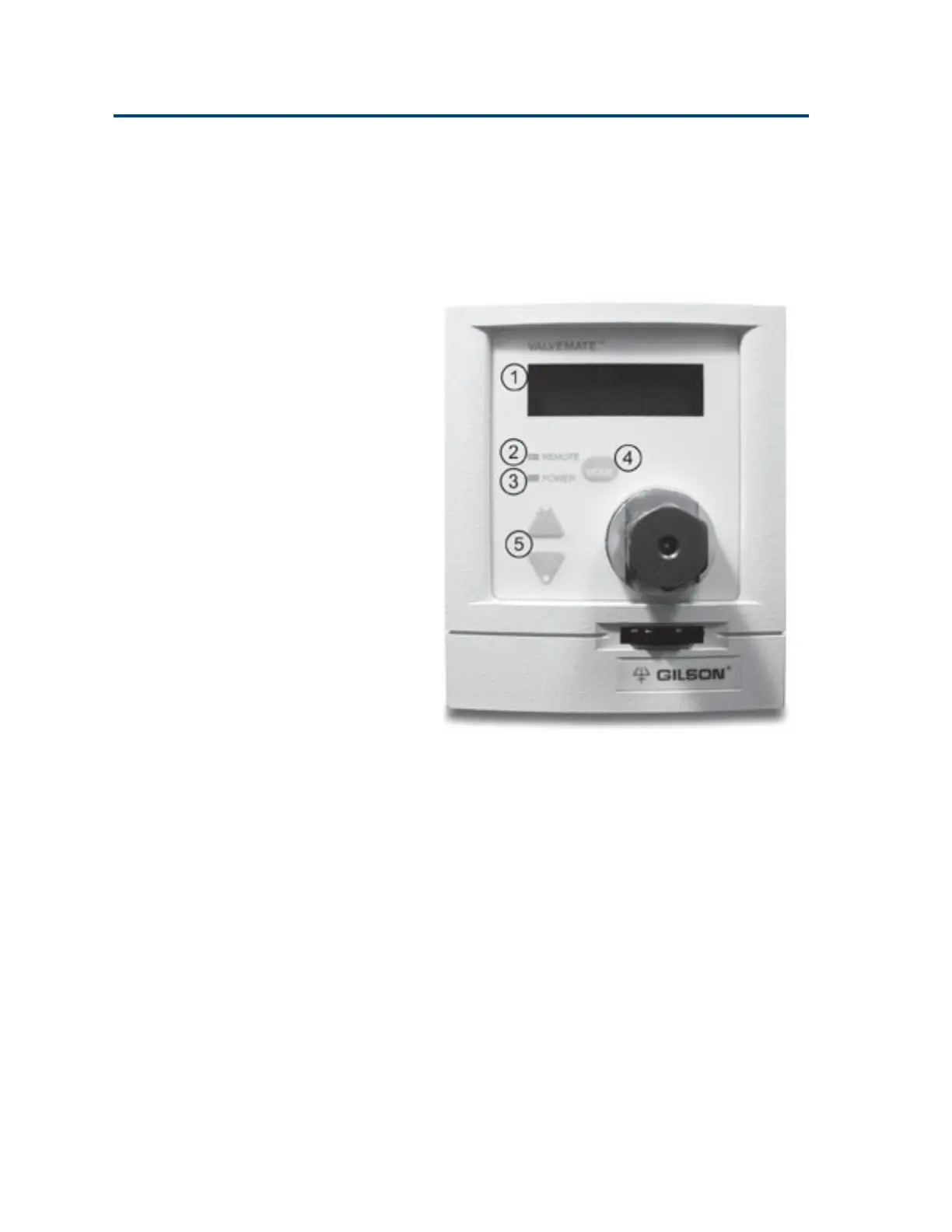
The VALVEMATE’s front panel provides for
complete valve control.
1 Display The two 16-character lines
show status, parameter, and
error information.
2 REMOTE This indicator illuminates
when the VALVEMATE is
being externally controlled
via its RS-232 or GSIOC port.
3 POWER This indicator illuminates
when the rear panel MAINS
switch is on.
4 MODE Use this key to access the
various modes: position, unit
ID, baud rate, valve, and
service.
Artisan Technology Group - Quality Instrumentation ... Guaranteed | (888) 88-SOURCE | www.artisantg.com


 To Next Page