Configuration menu 30
Code no. 576017
Rev. nº 02/0415
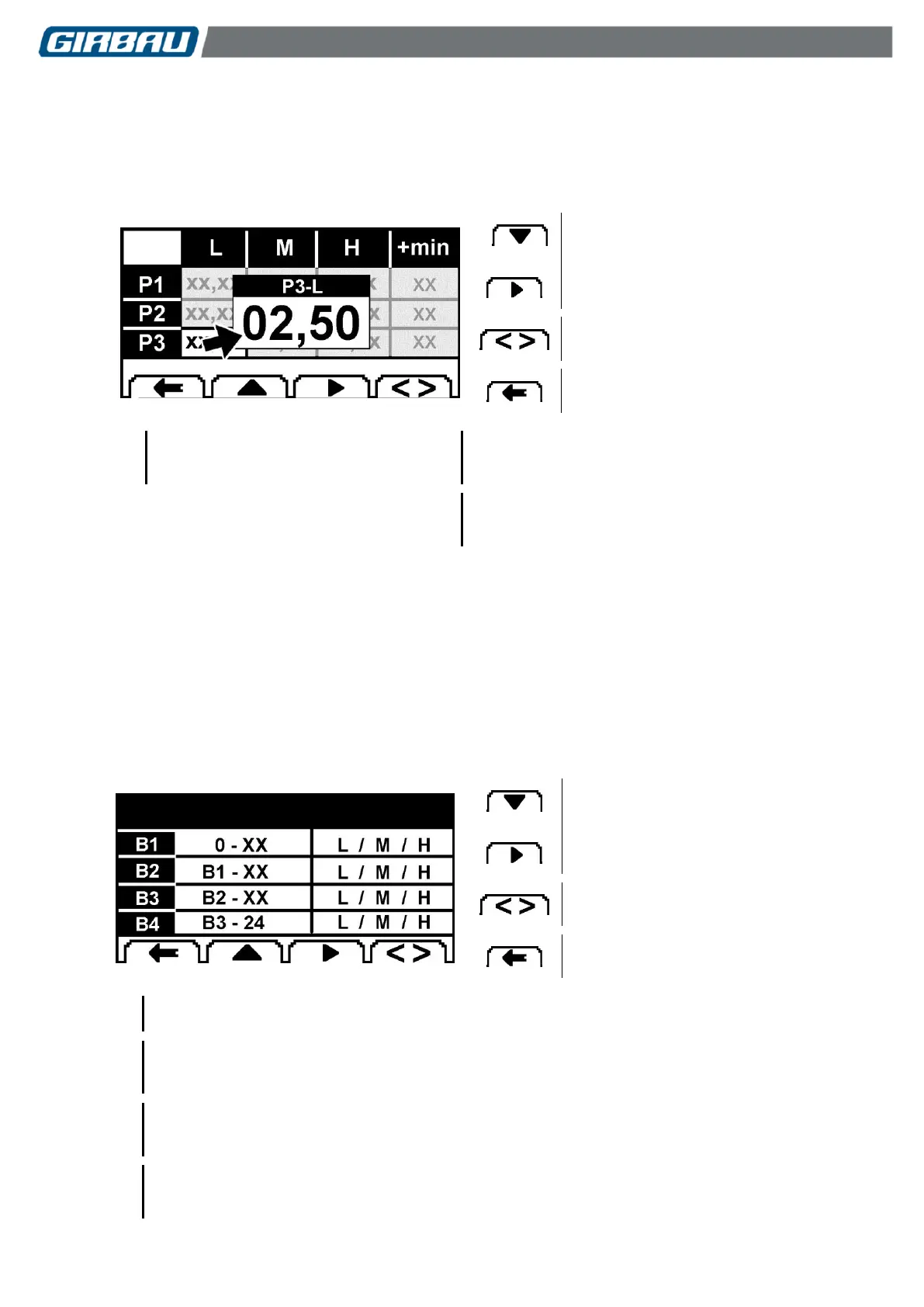
Modifying the price of the rates
Select and edit the rate for the program to be modified. In the example, the rate P3-L is edited (low price rate for
Program 3).
Set the desired price.
Modifying the +min option. Select and edit the option for the program to be modified. Set the option for the +min
parameter.
Editing and modifying the selected
parameter
Memorising the selection and accessing
the previous menu.
Low price rate (default value)
Enabling the increase in program time due to
overpayment.
Programmable values: YES / NO
TIME BANDS
Allows you to set different time bands for each day of the week, up to a maximum of four, and apply a rate to each
time band.
The first time band always starts at 0:00 hours.
The last time band always finishes at 24:00 hours.
The price of each program will be based on the value assigned to each of the rates for the three programs and to
the program start time.
Programming the TIME BANDS
Select the PRICES menu and then the TIME BANDS sub-menu.
The following screen will be displayed.
Editing the selected parameter
Memorising the selection and accessing
the previous menu.
First time band. Always begins at 0:00 hours.
By default it ends at 24:00.
Second time band.
This is only displayed if the first time band ends before 24:00.
Start: after the end time of the first time band
Third time band.
This is only displayed if the second time band ends before 24:00.
Start: after the end time of the second time band
Fourth time band.
This is only displayed if the third time band ends before 24:00.
Start: after the end time of the third time band



 To Next Page