Configuration menu 33
Code no. 576017
Rev. nº 02/0415
7.2. Clock
The Clock menu allows the user to adjust the time and the day of the week.
It is essential to have the clock set at the correct time for the system of PAYMENT ACCORDING TO TIME BANDS
to function correctly.
IMPORTANT!
REMEMBER THAT TO BE ABLE TO USE THIS OPTION THE DRYER MUST HAVE THE CLOCK KIT
INSTALLED.
If this kit is not originally installed in your dryer it can be added later. Ask your dealer.
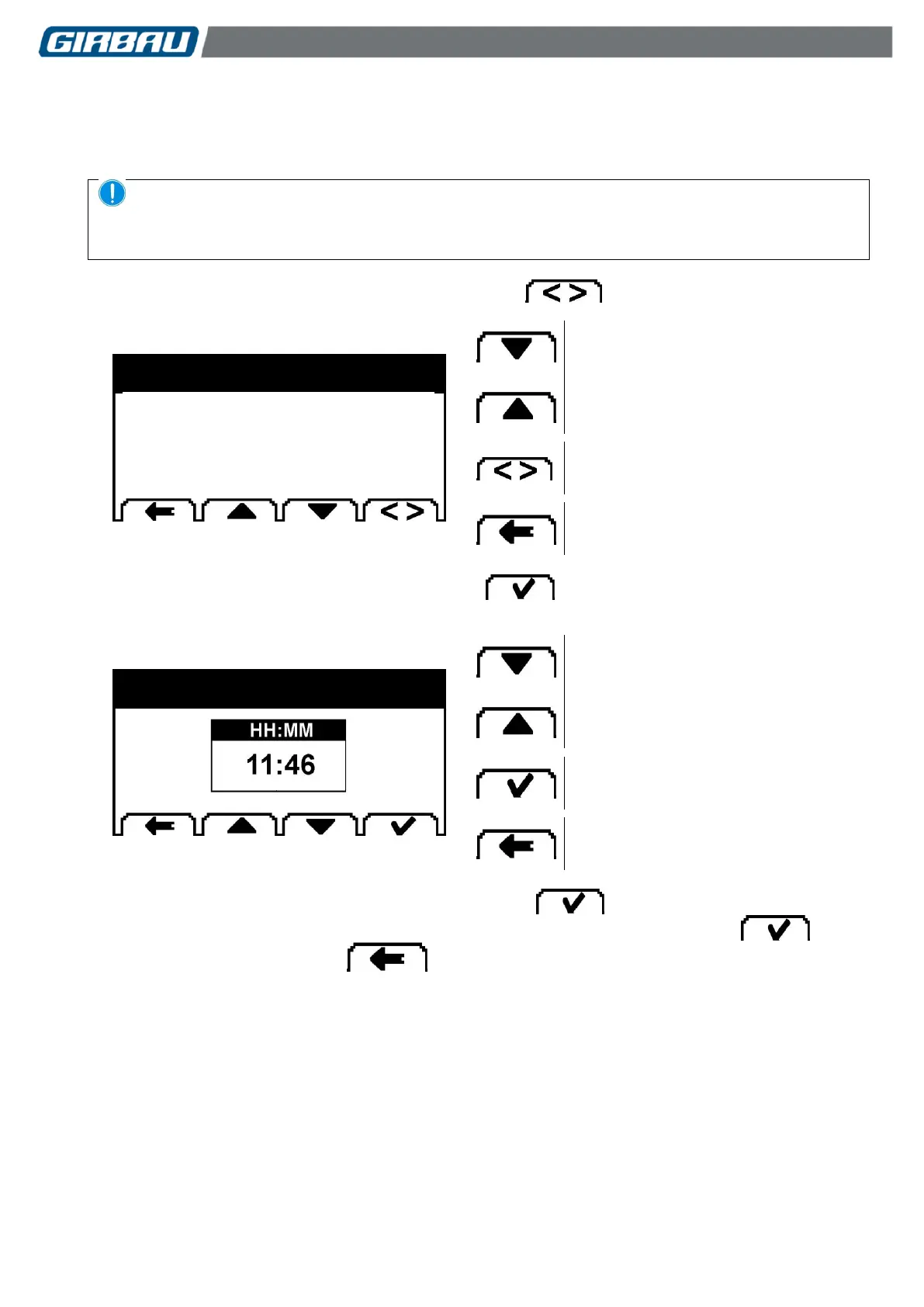
Altering the day of the week: Highlight the option and press the key successively.
Editing the TIME parameter
Altering the day of the week
Memorising the selection and returning to
the previous menu.
Altering the clock time: Highlight the option and press the key.
The following screen will be displayed.
Altering the highlighted value.
Selecting the hour/minute value
Memorising the selection and returning to
the previous level.
The HH (Hour) parameter initially appears highlighted. Press the key.
The MM (Minutes) value will be displayed highlighted. Modify the value if necessary. Press the key.
To access the higher level, press the key.
CURRENT TIME...........………...11:37
DAY OF THE WEEK………………....2



 To Next Page