Glidermatic GTS+ Installation Instructions & owner’s manual Page 16
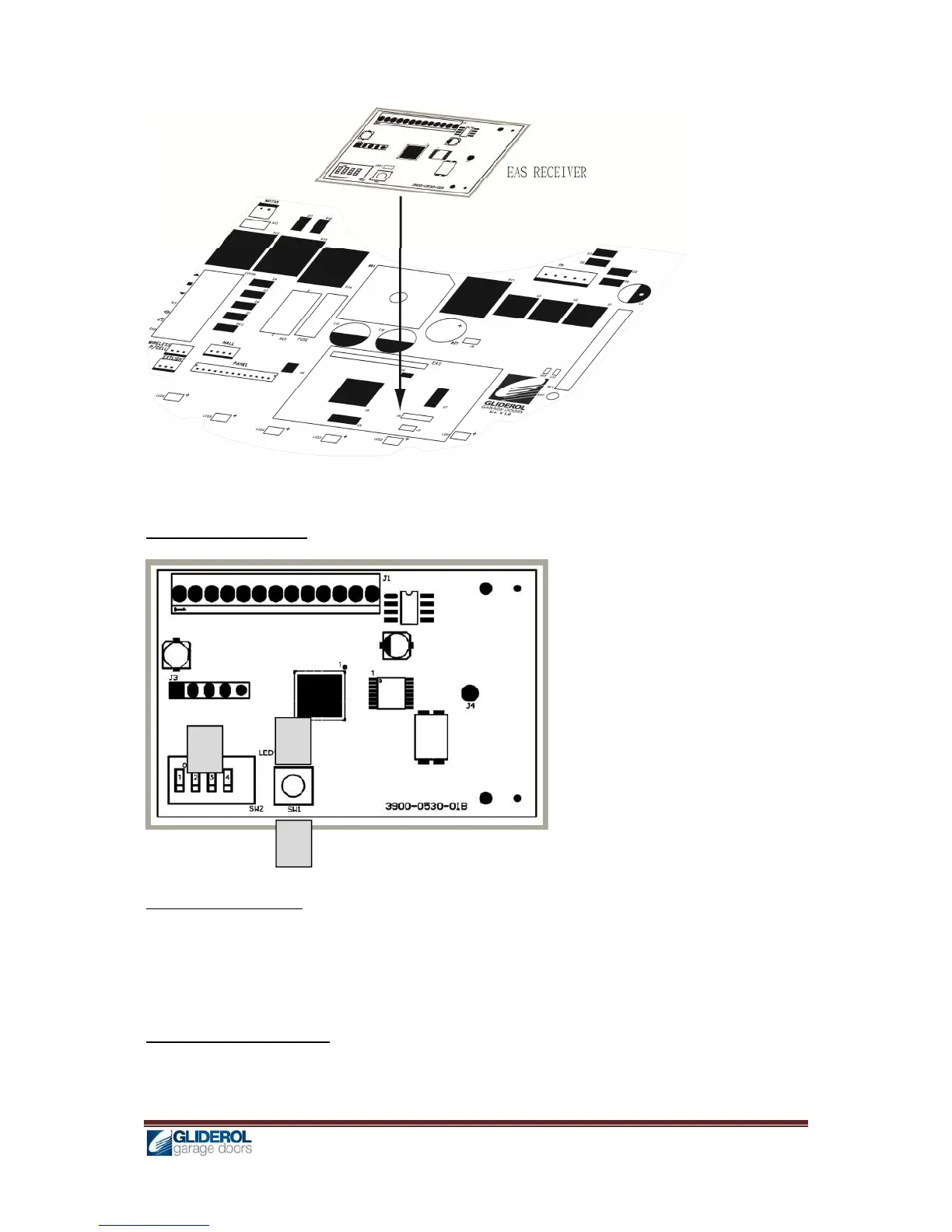
4. Plug the EAS receiver into the EAS receiver sockets properly
5. Replace control panel cover, LED lens and motor cover and secure with screws
EAS Receiver Index
GHI Transmitter Coding
1. Press and hold [1] SW1, until [2] LED blinks twice
2. Press buttons 4&5 simultaneously on the GHI transmitter to code
3. [2] LED will blink twice to confirm successful programming
GHI Transmitter Code Erase
1. Press and hold [1] SW1 continuously, until [2] LED blinks and goes out finally
2. After [2] LED goes out, all codes have been erased


 To Next Page