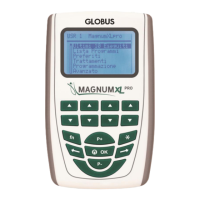
“Last 10” menu
The electrostimulator stores the last 10 executed programs, so that these are available
for rapid and easy execution.
The storage occurs automatically at the end of each program. When the memory is full,
older programs are automatically deleted.
When the device turns on, select "Last 10" and then confirm with OK.
Select the program you wish to execute by pressing the P+ and P- buttons.
(If no programs are stored on memory, the message EMPTY appears).
After confirming, three entries are displayed:
a. - Start
b. - Electrode placement
c. - Delete from the list
a. It is possible to execute the selected program by placing the cursor on “Start”
b. Placing the cursor on "Electrode placement", a brief guide for correct electrode
placement is displayed.
For further information on the electrode placement, see the picture included in the end of
this manual.
c. Placing the cursor on "Delete from the list", the selected program will be no longer
present in the "Last 10 executed programs" area.
The "Last 10" programs memory refers to a specific user. Thanks to the USER
SELECTION (multi-user) function, different users (up to 10, plus default user, called
USER 0) can have their own program memory of "Last 10.
“Favorites” menu
This menu enables the user to save the most used programs in a specific memory, up to
15 per user. To save a program, choose the program you want to save from the
"Program List" menu. Before execution, select "Save in Favorites" and confirm with OK.
The selected programs can be easily executed from the “Favorites” menu.
NOTE: In Mode 2+2, it is not possible to store favorite programs.
“Treatments” menu
The “Treatments” menu (Stim lock) enables the user to lock the device in order to permit
only the use of the programs that have been saved with the special function “Save in...”
in the screen previous to the execution of the program.



 To Next Page