16
5.1 SIM CARD CARRIER APN
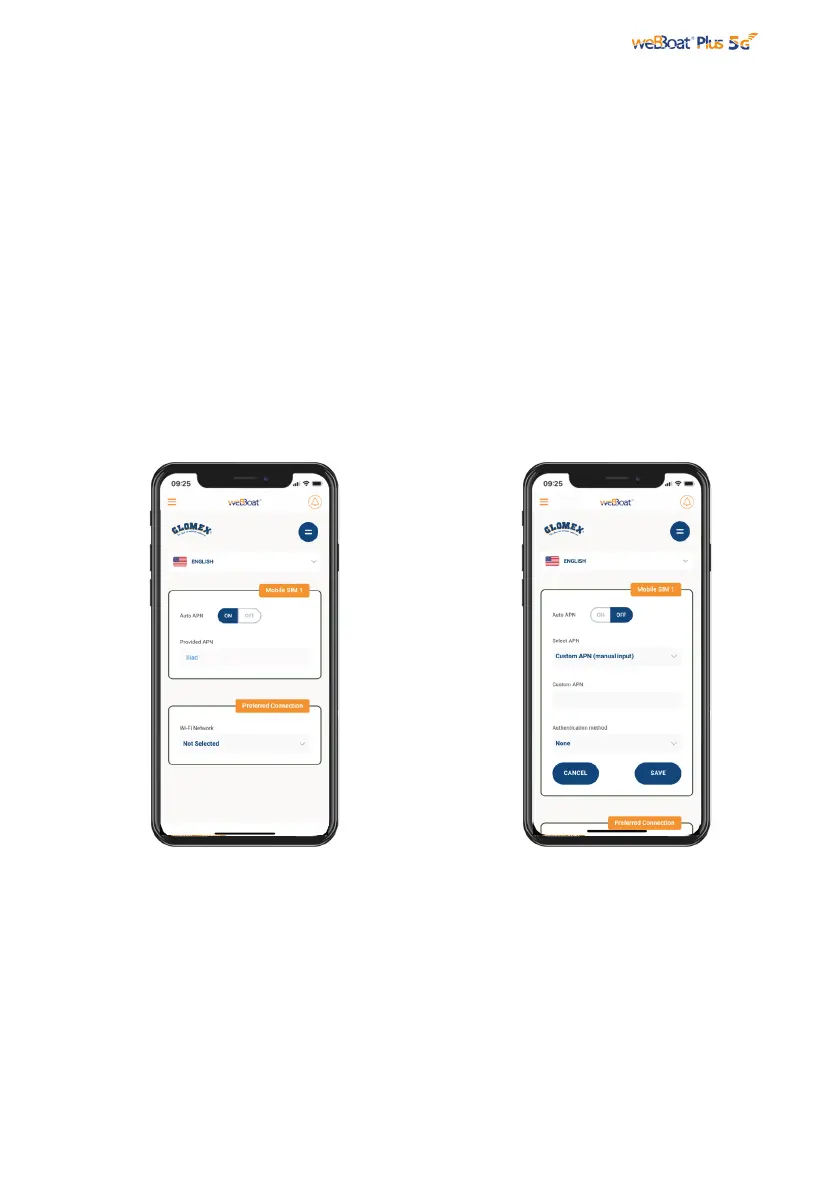
Fig. 13
Fig. 14
In the “Setup Wizard”, select the language (English, Italian, French, Spanish and
German). English is the default setting (Fig. 13). To unblock the SIM card, enter the
PIN code (if necessary). The Setup Wizard configures SIM1. If the user needs to
configure SIM 2 it is possible to select SIM2 from the Active SIM section of the Control
Panel (Fig. 18) and then configure it in the Mobile section of the Advanced Settings.
By default, the “Auto APN” option, which allows automatic connection, is selected (Fig.
13). To enter an APN manually, deselect the “Auto APN” option and a drop-down
menu will be shown with a list of possible APNs. By selecting the value “none” from
this list, it will be possible to manually enter a custom APN. (Fig 14).
NOTE: Check the correct APN with the Internet Service Provider (ISP) of the SIM card.
If the APN you need is not included in the default list, please contact Glomex at
webboat@glomex.it.



 To Next Page