Glow T180
Tankless Condensing Water Heater
17
2.5.3 Control Button Layout
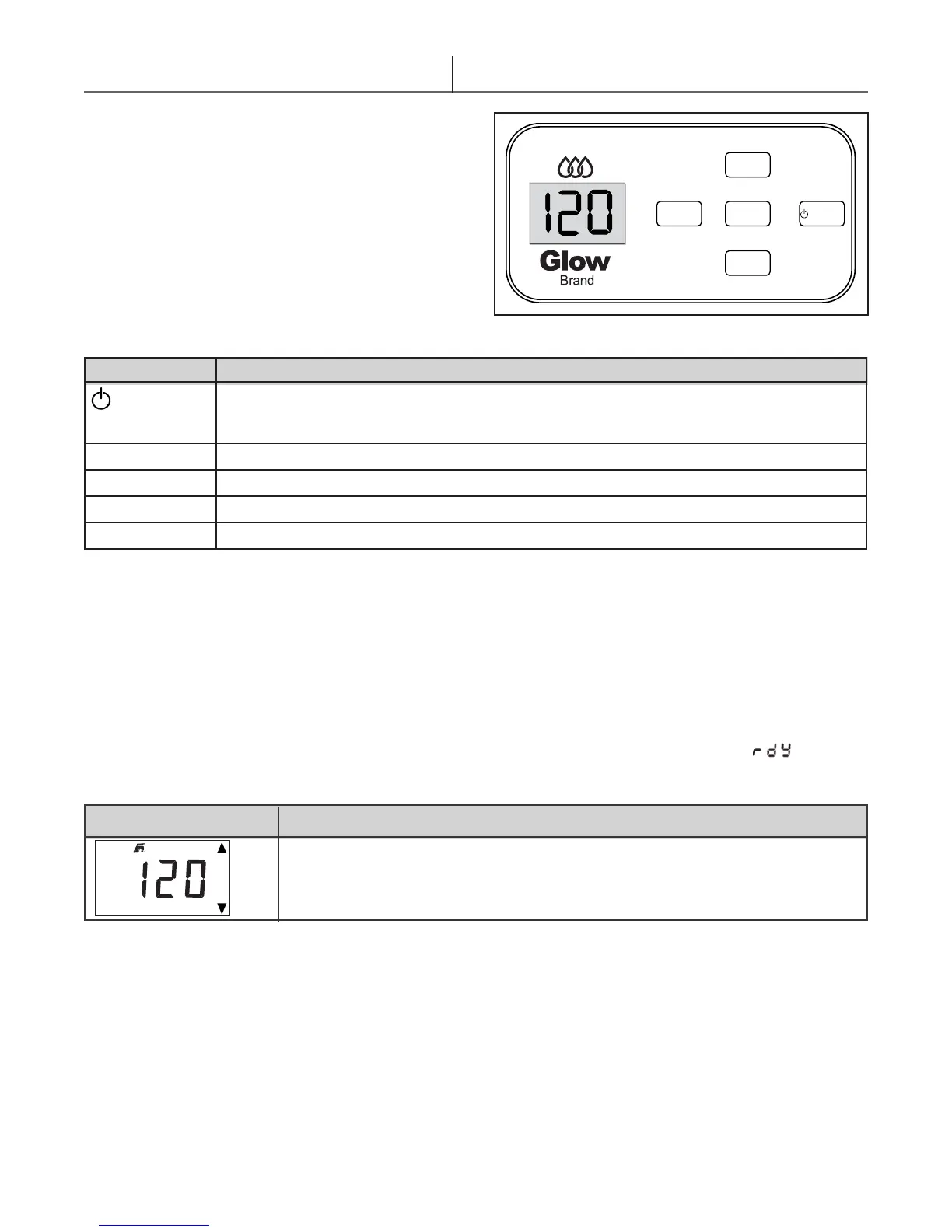
5 different buttons are present on the LCD Display for
operating the module. The buttons are positioned to the
right of the display. (see g. 2.4)
With these ve buttons various layouts are possible.
The display layout has the most frequent keys ([UP],
[ENTER] and [DOWN]) placed vertically in the middle,
which combines convenient navigation with a user
friendly look, due to the silicone keypad.
The table below describes the button functions. (Table
2.5)
Button Function Description
RESET
*Press and hold for 5 sec. to switch the display board ON or OFF.
* Press to reset the appliance in case of a Lock-out error or Press to cancel an altered
parameter
MENU
Press to enter the User menu or Press for 10 sec. to enter the Service menu
ENTER
Press to conrm when you have selected a parameter or Press to conrm an altered setting
UP
Scroll up or Increase the value (of a parameter)
DOWN
Scroll down or Lower the value (of a parameter)
2.5.4 Direct Adjustments of DHW Set point via Main Display Screen
The DHW set point can be directly adjusted in the main screen only when the unit is in standby [ ].
In this case, the following icons are shown, including the set point temperature that is being altered.
Icons
Description
DHW set point can be altered by using the [UP] and [Down] buttons
2.5.5 Error Displayed on Screen
In case of a Warning, Error-/Alarm condition, the Blocking (‘E’), Locking (‘A’) or Attenuations (‘n’) error will
continually ash. The User menu is inaccessible and can only be reset by pressing [RESET]. See section 6-
(‘Lock Out & Warnings’)
Figure 2.4- Control panel
MENU
UP
ENTER
DOWN
RESET
Table 2.5
Table 2.6


 To Next Page