43
SETTING THE METER
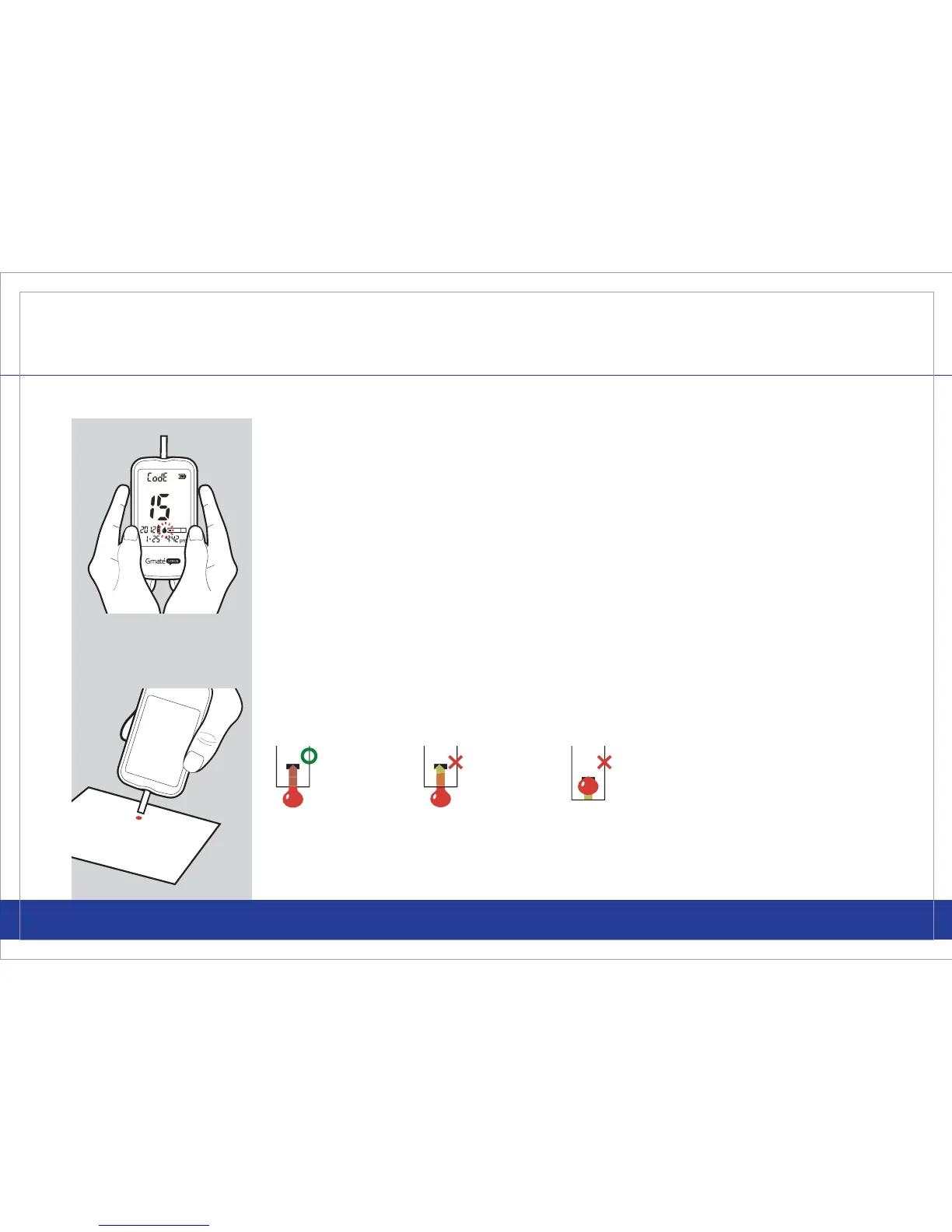
Please make sure that the control solution completely lls the designated
area of the Gmate® Test Strip.
STEP 4
Make sure to mark the test as a control solution test. Press and release
either the left or right button once. The control solution symbol will be
displayed.
Note: If you mark the Control Solution tests with the control solution
symbol, the results will NOT be included in your average results.
STEP 5
Shake the control solution vial and remove the cap. Gently squeeze a
drop of the control solution onto a clean, at, hard surface. Place the tip of
the test strip to the control solution until the meter chimes. The meter will
start calculating the result. The reading will only take 5 seconds.
Call Customer Service Toll Free at 855-GO-GMATE (855-464-6283) / 24 hours a day, 7 days a week.
www.Gmate.com



 To Next Page