42
SETTING THE METER
How to test with the Control Solution
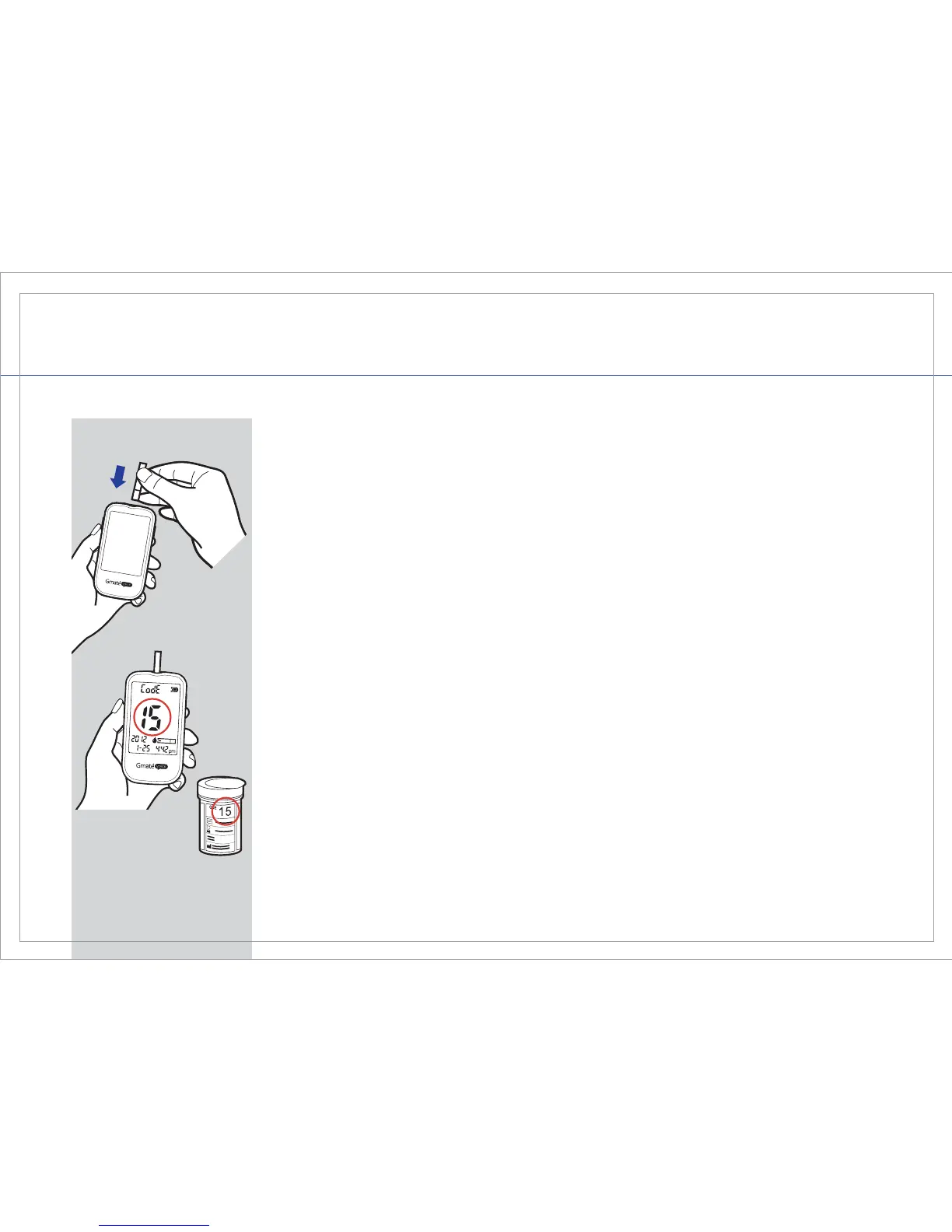
STEP 1
Insert the Gmate® Test Strip with the electrode end facing up into the test
strip port of the Gmate® VOICE Meter. Make sure that the test strip is
inserted all the way. The meter will automatically power on and you will
hear a chime.
STEP 2
The screen will display the code, date and time. A test strip symbol with a
blood drop will appear and ash. The meter and test strip are now ready
to test with the control solution.
STEP 3
Before you begin, make sure the code number displayed on the screen is
the same as the code number printed on the test strip vial. If the code
number is different, insert a new test strip. If the code number still does
not match, call Gmate® Customer Service support toll-free at
1-855-GO-GMATE (1-855-464-6283).



 To Next Page