TX4400 INSTRUCTION MANUAL PAGE 11
Memory location 11 holds the Selcall Ident for the Pager
function. See the ‘Page Mode’ section for more details on this
feature. When in ALPHA mode, this memory displays ‘PAGER’.
Memory location 12 holds the last-sent or received
Selcall Ident. Whenever you send or receive a Selcall, the
Ident is automatically stored in this location allowing you
to easily recall it and resend it. When in ALPHA mode, this
memory displays ‘LAST’.
Memory location 13 contains the radio’s own Selcall
Ident. If you need to give your Selcall Ident to someone but
can’t remember it, you can recall it from this location. When
in ALPHA mode, this memory displays ‘RADIO’.
The memories can be viewed by briefly pressing the CALL
button on the microphone, then rotating the
Channel switch.
ENTERING, STORING AND SENDING
SELCALLS
Use the following procedure to enter and send a Selcall.
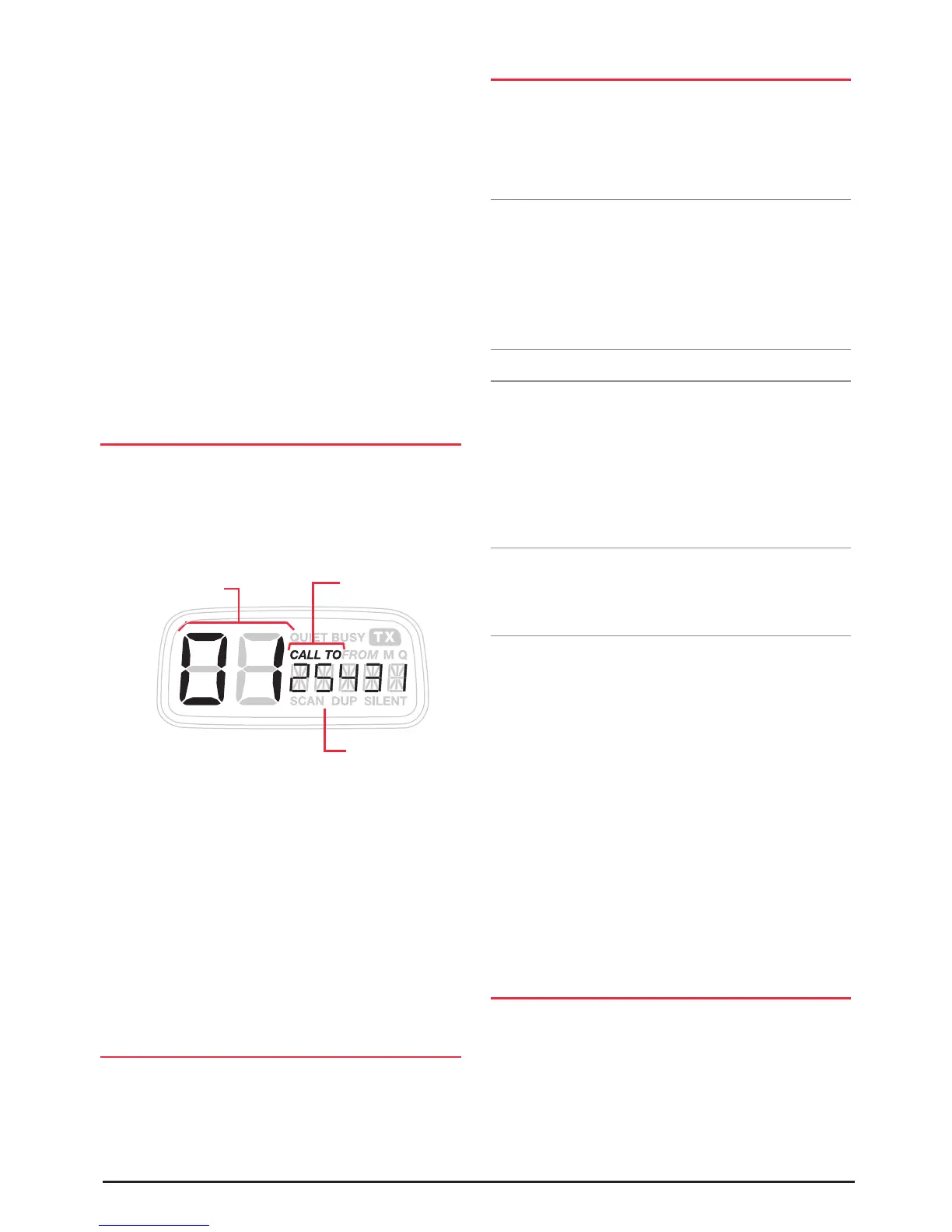
1. Press the CALL button on the microphone. ‘CALL TO’ is
displayed, along with a memory location on the left and
an associated 5 digit Selcall Ident on the lower right.
2. Enter the required Selcall ident as follows:
(a) Briefly press the Channel knob. The right-hand digit
of the Selcall Ident will flash.
(b) Rotate the Channel knob to select the required
number in the flashing digit position.
(c) Briefly press the Channel knob again to select the
next digit position.
(d) Repeat steps (b) and (c) to enter all 5 digits
as required.
3. Now press and hold the CALL button to send the Ident.
CALL ACKNOWLEDGE
If your Selcall transmission is successful, the radio you called
should respond with a 'call acknowledge' signal - usually
two quick beeps. This will confirm to you that the radio you
called is now alerting its user to your signal.
STORING SELCALL IDENTS
Your TX4400 is fitted with 10 user programmable Selcall
Ident memories, allowing you to store up to 10 frequently
used Selcall Idents. The memories are accessed by pressing
the CALL button on the microphone then rotating the
Channel switch.
Note: Memory locations 1 - 4 are ‘Fast Dial’ memories.
Once programmed they can be quickly recalled using the
front panel keys. If you wish to make use of this feature,
you should program your four most frequently used Selcall
idents into the first four memory locations. For details on
using these ‘Fast Dial’ keys, see section below on
‘Recalling Fast Dial Memories’.
To Store a Selcall Ident in memory
1. Press the CALL button on the microphone to select the
‘CALL TO’ mode. ‘CALL TO’ is displayed along with a
memory location number on the left and an associated 5
digit Selcall Ident on the right.
2. Rotate the Channel switch to select the Selcall memory
that you wish to programme (only locations 1 - 10 are
available for user programming).
Note: If the radio displays letters instead of numbers in
the Selcall Ident position, your radio is in ALPHA mode. To
switch back to Ident mode, briefly press the F key then the
ALPHA key.
3. With the required memory location displayed, enter the
Selcall ident as follows:
(a) Briefly press the Channel knob. The right-hand digit
of the Selcall Ident will flash.
(b) Rotate the Channel knob to select the required
number in the flashing digit position.
(c) Briefly press the Channel knob again to select the
next digit position.
(d) Repeat steps (b) and (c) to program all 5 digits as
required.
3. Now press and hold the Channel knob. The Selcall Ident
will flash for a few seconds, then the radio will beep as
the Ident is stored.
RECALLING SELCALL IDENTS FROM THE
MEMORY
1. Briefly press the CALL button on the microphone to
select the ‘CALL TO’ mode.
2. Rotate the Channel knob to select the required memory
location. The Selcall ident stored in that memory will be
displayed.
3. When the required Selcall Memory is displayed, press and
hold the CALL button to send the Ident.
Memory Location
CALL TO
Mode selected
Selcall Ident



 To Next Page