PAGE 16 INSTRUCTION MANUAL TX4400
programmed in the same way as other Selcall Idents.
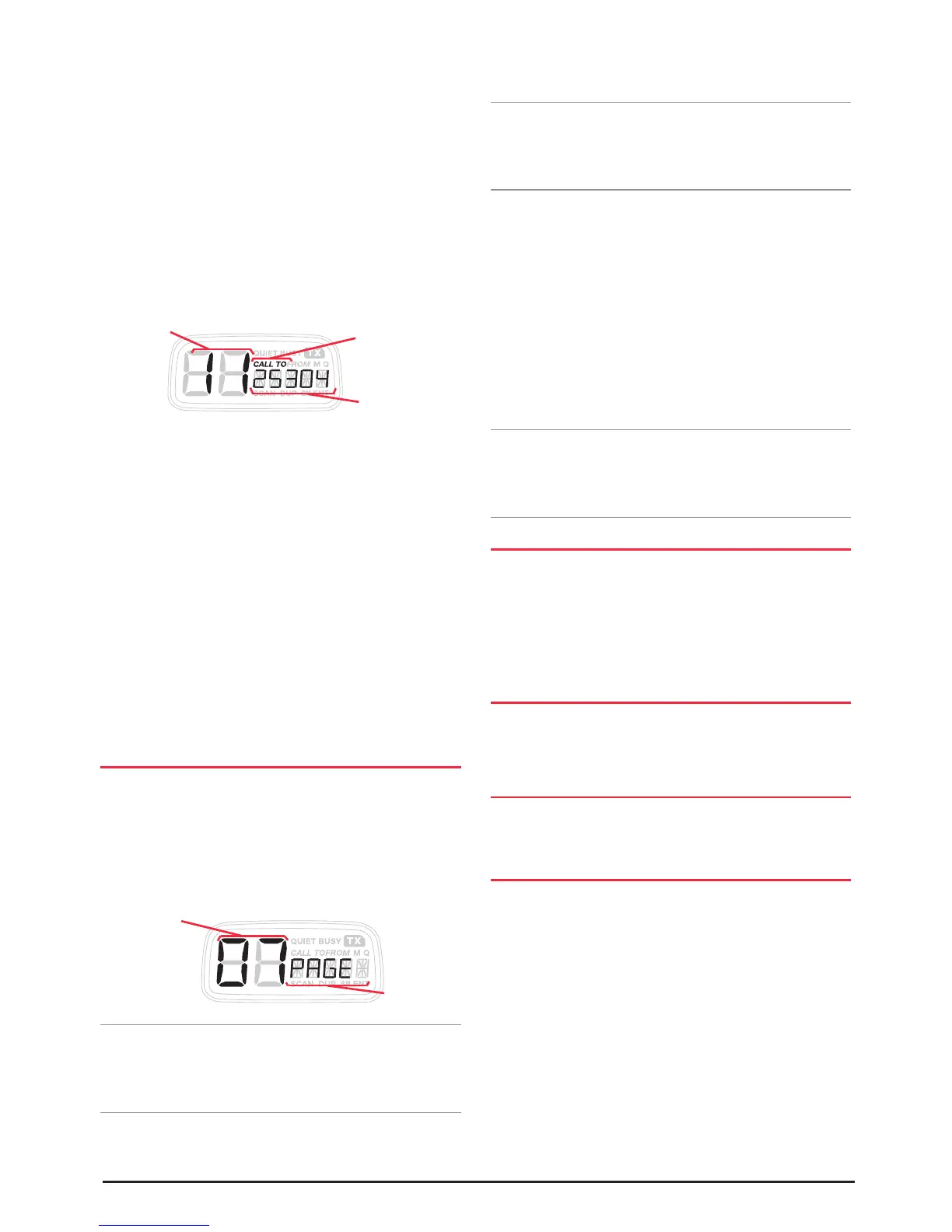
1. Press the CALL button to select the ‘CALL TO’ mode.
‘CALL TO’ will be displayed with a memory location
number on the left and an associated 5 digit Selcall
Ident or ALPHA Name on the right.
2. Rotate the Channel switch to select the memory
location 11. If your radio is in ALPHA mode, PAGER will
be displayed. This is a fixed ALPHA name for the Paging
memory and cannot be changed. If necessary, briefly
press the F key followed by the ALPHA key to select the
IDENT display mode.
3. Enter the required Selcall ident as follows:
(a) Briefly press the Channel knob. The right-hand
digit of the Selcall Ident will flash.
(b) Rotate the Channel knob to select the required
number in the flashing digit position. (c) Briefly
press the Channel knob again to select the next
digit position.
(d) Repeat steps (b) and (c) to program all 5 digits as
required.
4. Now press and hold the Channel knob. The Selcall Ident
will flash for a few seconds, then the radio will beep as
the Ident is stored in the Paging memory.
MONITORING A SINGLE CHANNEL WHILE
IN PAGE MODE
To monitor a single channel in the Page mode:
1. Select the required channel using the channel switch.
2. Briefly press the F key followed by the PAGE key. 'PAGE'
will be displayed along with the selected channel. The
page mode is now active.
Note: The display lighting will extinguish after 10 seconds
to conserve power in case the radio is to be left in Page
mode for an extended period. This also makes the radio less
visible if it is left in an unattended vehicle at night.
Once the Page mode is selected, you can transmit and receive
on the selected channel in the usual way. However, the
Channel switch and the SCAN, OS/GS, DUP and CALL
keys are disabled.
Note: If the selected channel has been tagged for Quiet
operation, the QUIET mode will be automatically selected and
QUIET will be displayed. In this case, you will not be able to
transmit.
If you Selcall Ident is received on the selected
channel:
Your TX4400 will send an acknowledge beep back to the
caller then change to the Paging channel and transmit the
Page Ident. It will finally return to the selected channel,
sound the alarm and display the Ident or Alpha Name of
the caller.
Meanwhile the other receiver will be beeping to tell you
that someone has called you. You can then return to your
TX4400, identify the caller’s Ident and return the call.
Note: Before transmitting on the Paging channel, the
TX4400 will check the channel for activity and will not
transmit if the channel is in use. Only when the channel is
clear will the paging Ident be sent.
SCANNING IN PAGE MODE
1. Select the required SCAN group, program the required
channels and then briefly press the SCAN key. The radio
will begin scanning.
2. Now briefly press the F key followed by the PAGE key.
'PAGE' will be displayed.
USING OPEN SCAN
If the radio is scanning in the Open Scan mode, you will
not be able to transmit unless the scan has stopped on a
busy channel.
USING GROUP SCAN
If the radio is scanning in the Group scan mode, you can transmit
on the Priority channel at any time.
USING THE QUIET MODE
If any channels have been tagged for Quiet operation, the
QUIET mode will be automatically selected and 'QUIET' will
be displayed. You will not be able to transmit.
If while scanning on any channel, your Selcall Ident is
received:
The TX4400 will stop scanning on that channel, send an
acknowledge beep back to the caller then change to the
Paging channel and transmit the Page Ident. It will finally
return to the channel, sound the alarm and display the
Ident or Alpha Name of the caller.
Meanwhile the other receiver will be beeping to tell you
that someone has called you. You can then return to your
Enter
Pager Ident
Call To
Mode
Select Memory Location 11
Selected
Channel
Page
Mode
Selected



 To Next Page