TX4400 INSTRUCTION MANUAL PAGE 17
TX4400, identify the Caller’s Ident and return the call.
Note: Before transmitting on the Paging channel, the
TX4400 will check the channel for activity and will not
transmit if the channel is in use. Only when the channel is
clear will the paging Ident be sent.
TO RETURN A CALL IN PAGE MODE
If you return to your radio and it is beeping, briefly press the
QUIET key. The radio will exit the PAGE mode and 'CALL
FROM' will be displayed along with the Selcall Ident or
Alpha Name of the Caller.
To return the call, briefly press the CALL button. The
Caller's Ident will be transferred to the 'CALL TO' mode
ready for sending. Now press and hold the CALL button for
a few seconds until the radio beeps. The callers Selcall Ident
will be sent. If the call is successful, you will hear two quick
acknowledge beeps in your radio's speaker as the caller's
radio responds.
DEACTIVATING THE PAGE MODE
• To de-activate the Page mode, briefly press the
QUIET key.
• To de-activate the Page mode and jump to the Priority
channel, briefly press the Channel knob.
CTCSS
CTCSS (Continuous Tone Coded Squelch System) is a
squelch quietening system that allows several groups
of users to share the same channel without disturbing
each other. It uses one of 50 preset sub-audible (very low
frequency) tones to open and close the squelch on your
radio. The system applies a continuous low-level tone to
your transmission and a matching tone decoder to your
receiver's Squelch. With CTCSS enabled, the channel
remains quiet to all incoming signals unless they carry the
correct tone. When a transmission with the correct tone is
received, the Squelch opens and remains open for as long
as the signal is present. When the transmission ends, the
channel becomes quiet again. Transmissions that do not use
the correct tone will not be heard.
The TX4400 allows CTCSS to be enabled or disabled on
individual channels. In addition, the CTCSS tone frequency
is user programmable. Note that the CTCSS tone you select
will be used for all CTCSS enabled channels in your radio.
MONITOR FUNCTION
The monitor function temporarily opens your radio's
Squelch to allow you to listen for signals from other CTCSS
users outside your group. Because their CTCSS tone is
different to yours, your Squelch would normally remain
closed, preventing you from hearing them. By using the
Monitor switch, you can open the squelch and listen on the
channel to check that it is clear before transmitting. This
top of someone.
To use the Monitor Function, press the Squelch knob
(MON). If no signals are present you will hear the usual
hiss of an empty channel. The squelch will remain
open as long as the Squelch knob remains pressed.
Release the Squelch knob to restore the Squelch to its
previous setting.
SELECTING THE REQUIRED CTCSS TONES
To select the required CTCSS tones on your radio, use the
following procedure:
1. Switch the TX4400 OFF at the volume control.
2. Press and hold the F and SILENT keys simultaneously
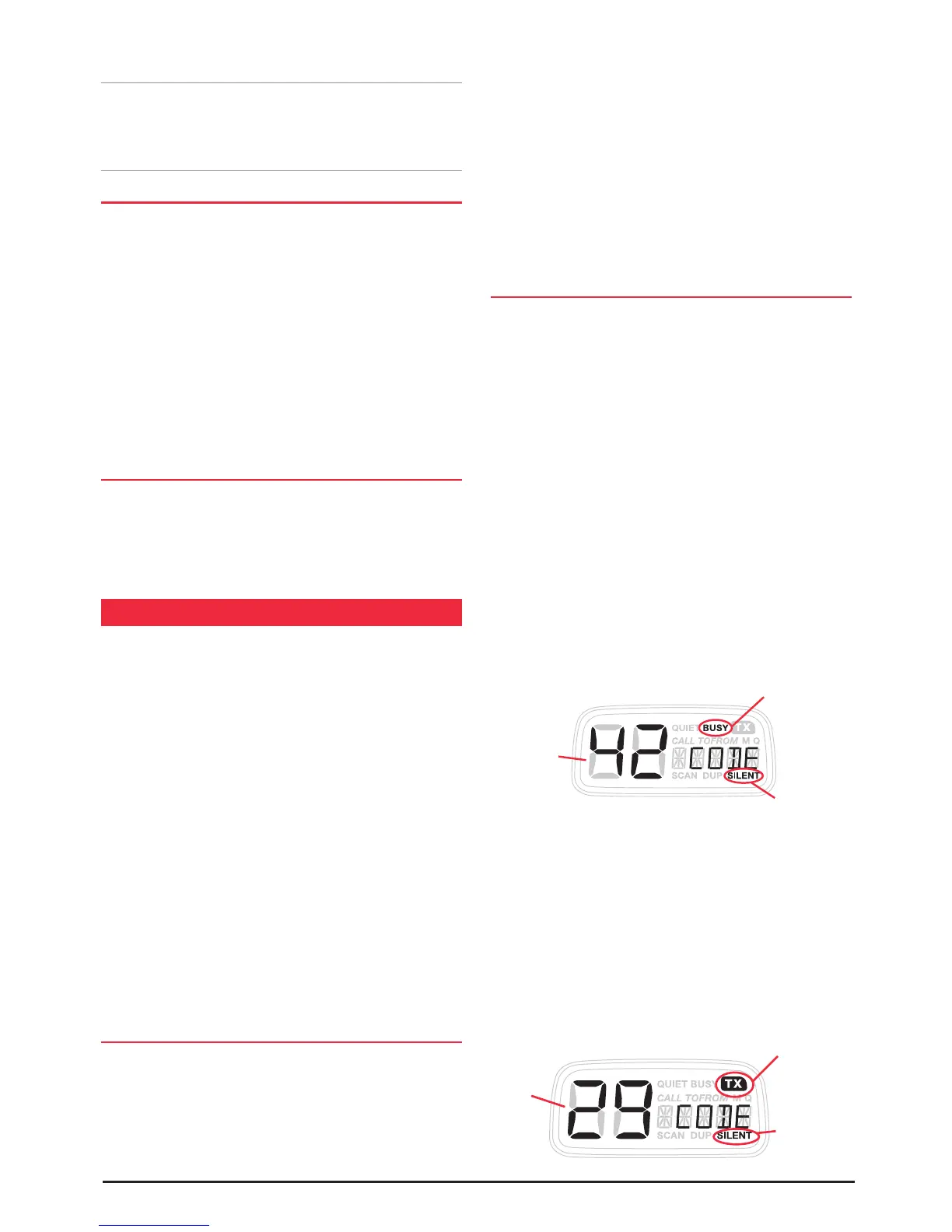
while turning the radio ON again. 'CODE' will be
displayed and the 'SILENT' icon will be flashing. In
addition the ‘BUSY’ icon will be visible indicating you are
about to select the receiver's CTCSS tone. The channel
display will now correspond to one of 50 different
CTCSS tones as shown in the table below. The factory
default is 00, which is No Tone.
3. To select the desired receiver tone, rotate the Channel
switch until the required tone number is displayed.
4. Press and hold the QUIET key for a few seconds. Both
the code number and the 'SILENT' icon will flash, then
the radio will beep as the code is stored.
5. Briefly press the QUIET key. The 'TX' icon will appear
indicating you are now selecting the transmitter's
CTCSS tone.
6. To select the desired transmit tone, rotate the Channel
switch until the required tone number is displayed.
7. Press and hold the QUIET key for a few seconds. Both
the code number and the 'SILENT' icon will flash, then
the radio will beep as the code is stored.
Selected
CTCSS
Tone
SILENT is Flashing
BUSY Icon indicates Receive
T
one is displayed
Selected
CTCSS
Tone
Silent is
Flashing
TX Icon indicates Transmit Tone is displayed



 To Next Page