TX4400 INSTRUCTION MANUAL PAGE 15
PROGRAMMING AND SENDING GROUP
CALLS
Entering a Group call Ident is the same as entering a
normal Selcall Ident.
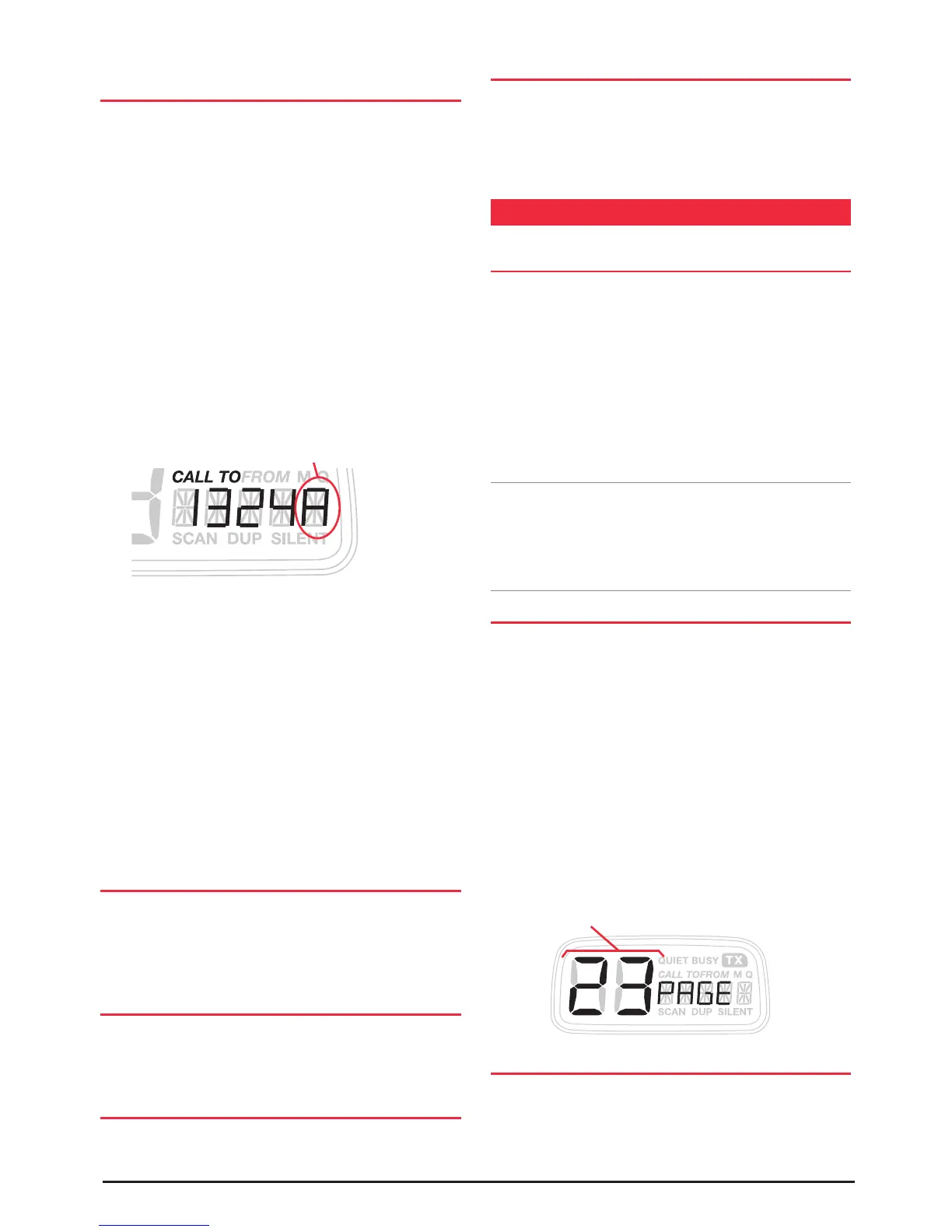
1. Press the CALL button to select the ‘CALL TO’ mode.
‘CALL TO’ is displayed with a memory location number
on the left and an associated 5 digit Selcall Ident on the
right. If the radio is in the ALPHA display mode, briefly
press the F key followed by the ALPHA key to return to
the Ident display.
2. Enter the required Selcall ident as follows:
(a) Briefly press the channel knob. The right-hand digit
of the Selcall Ident will flash.
(b) Rotate the Channel knob to select 'A' in the right-
hand flashing digit position. This is the special code
that will create the Group Call.
(c) Briefly press the channel knob again to select the
next digit position.
(d) Rotate the Channel knob to select the required
number in the next flashing digit position.
3. Repeat steps (c) and (d) to enter all 5 digits as required.
When completed, the first 4 digits of the Ident you have
entered will match all the radios in the group. The last
digit will be set to 'A'.
Once the Ident has been entered you have 20 seconds to
send it otherwise the 'CALL TO' mode will be cancelled and
the Ident you entered will be lost.
SENDING THE SELCALL IDENT
With the required Selcall Ident displayed in the ‘CALL
TO’ mode, press and hold the CALL button for a few
seconds until the radio beeps. The Selcall Ident will be sent
automatically and the radio will return to normal operation.
CALL ACKNOWLEDGE IN GROUP MODE
There is no call acknowledge when sending group calls.
This is to prevent all the radios in your group from trying to
respond to your Selcall transmission at the same time.
STORING GROUP CALL IDENTS
Group Call Idents can be stored in memory in the same way
as a standard Selcall Ident.
RECEIVING GROUP CALLS
Receiving a Group call is identical to receiving a normal
Selcall except that the alarm sound is a LOW tone beep
instead of the normal High tone beep. The Callers Ident or
ALPHA Name appears on the display in the usual way.
PAGER (TRANSPOND) MODE
OVERVIEW
The PAGE or transpond feature allows you to leave your
radio unattended yet still be informed of any incoming
Selcalls. If your Selcall Ident is received while your TX4400
is in the PAGE mode it will automatically transfer the
incoming Selcall to another UHF radio. The page mode can
be used either while monitoring a single channel or while
scanning in open scan or group scan mode.
To receive the Paging call, the other UHF radio must be
fitted with a CCIR compatible Selcall.
Note: To allow your TX4400 to operate in the PAGE mode
when your vehicle is unattended, your radio must be
wired so that it has a continuous 13.8 Volt power source
even when the vehicle's ignition is switched off (see
installation instructions).
SELECTING THE PAGING CHANNEL
Your TX4400 can be set to PAGE on any of the 40 UHF CB
channels. Select the required Paging channel as follows:
1. Turn the TX4400 OFF.
2. Press and hold the F and PAGE keys simultaneously
while turning the radio ON. The radio will display PAGE
along with the currently selected paging channel.
3. Rotate the Channel switch to select the new paging
channel.
4. Turn the radio OFF to store the new channel.
You can now turn the radio back ON again for normal
operation.
SETTING THE PAGING IDENT
For the Paging feature to work, you must program your
TX4400 with the Selcall Ident of the radio you wish to
transfer the incoming calls to. This PAGE Ident is stored
in memory location 11 of the 'Call To' memory. It is
Insert ‘A’ in the last digit position
Select Pager Ident



 To Next Page