12
8
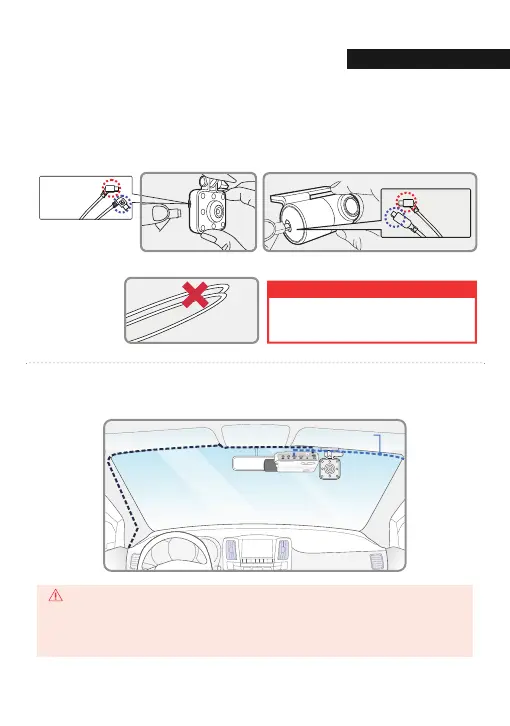
Carefully tuck the power cable and rear camera connection cable into the linings
of the vehicle between the ceiling and glass.
* Front cam
(curved cable)
* Rear cam
(straight cable)
When the cable is bent as shown in the picture, the
data flow may be interrupted and a recording error
may occur. Please be careful.
WARNING
GPS reception and terrestrial digital sensitivity may decrease depending on the navigation installed.
When installing power cables and rear camera access cables, it is recommended that each cable be
installed on the opposite side. For example, install the power cable facing the driver's side and the
rear camera access cable facing the opposite seat.
INSTALLATI
CAUTION
Attach the rear camera to the rear windshield of the vehicle and connect the
cable to the front camera.
7
* Front camera
(curved cable)
* Interior IR camera
(Right Angle cable)
Direct power cable
Rear connection cable
01. BEFORE USE



 To Next Page