39
2. Dash Camera Connection
Method1. App with Wi-Fi (iOS)
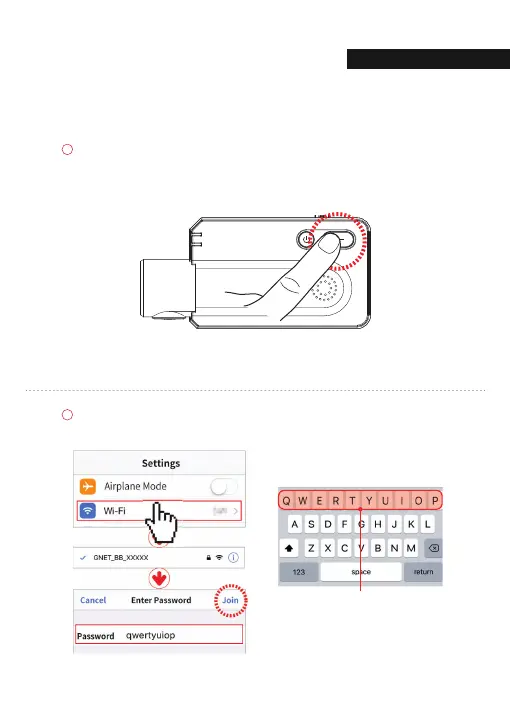
Wi-Fi button on the dash camera, press for about 1 second,
"Waiting for registration" Voice guidance is output.
Select a network starting with [WiFi Settings] ‘GNET_BB’ in standby for registration.
Enter the Wi-Fi password 'qwertyuiop'.
The password is as follows: qwertyuiop
C
NNECTI
04. withCLOUD



 To Next Page