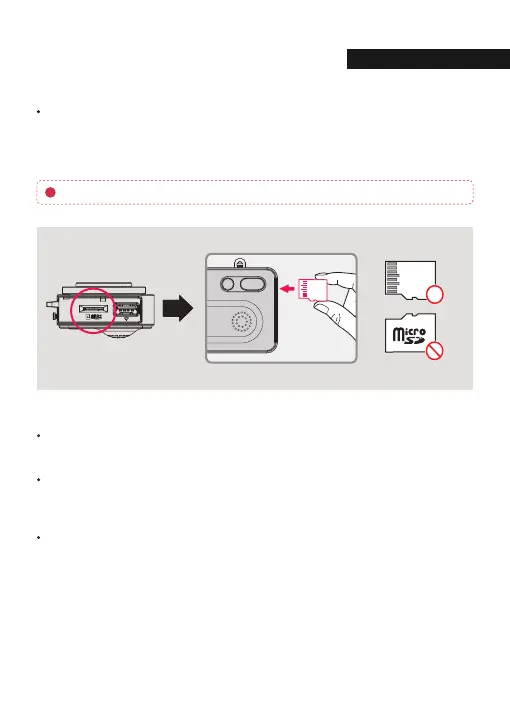
Please be fully aware of the orientation of the Micro SD Memory Card.
Push the Micro SD Memory card into the memory card slot until you hear 'clack'
sound.
When using memory card for the first time or when the memory card is reused
after format, the system will be in stand-by mode for 3~5 minutes to create
system files and checking the memory card.
Recording starts with voice guidance saying "Start recording"
15
INSTALLATI
Inserting the Memory Card
01. BEFORE USE



 To Next Page