42
2. Dash Camera Connection
Method1. App with Wi-Fi (Android)
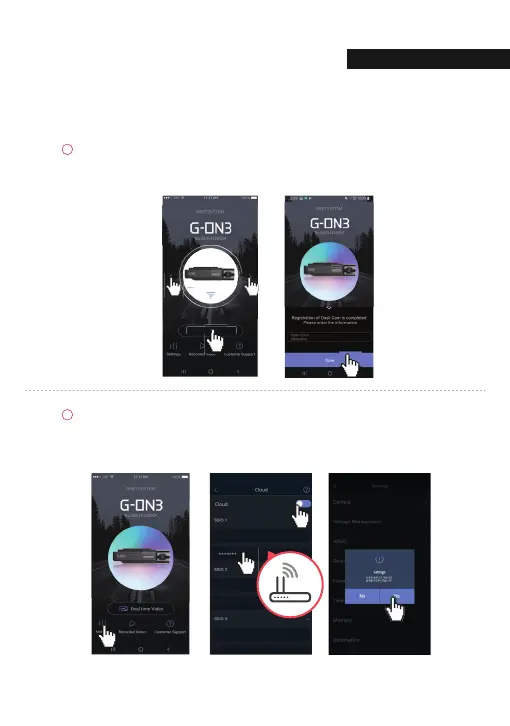
Select the device and then [Connect].
After confirming the voice guidance “Registration completed”,
input device information and [Save].
Select [Settings] on the main screen.
Cloud use [ON], after entering the router's SSID and password.
After clicking the [Back] button, click [YES] in the pop-up to complete the registration.
KTEGG_SSID
Connect
C
NNECTI
04. withCLOUD



 To Next Page