2.6 Connecting The Printer To The Host Computer
1. Please make sure that the printer is switched off.
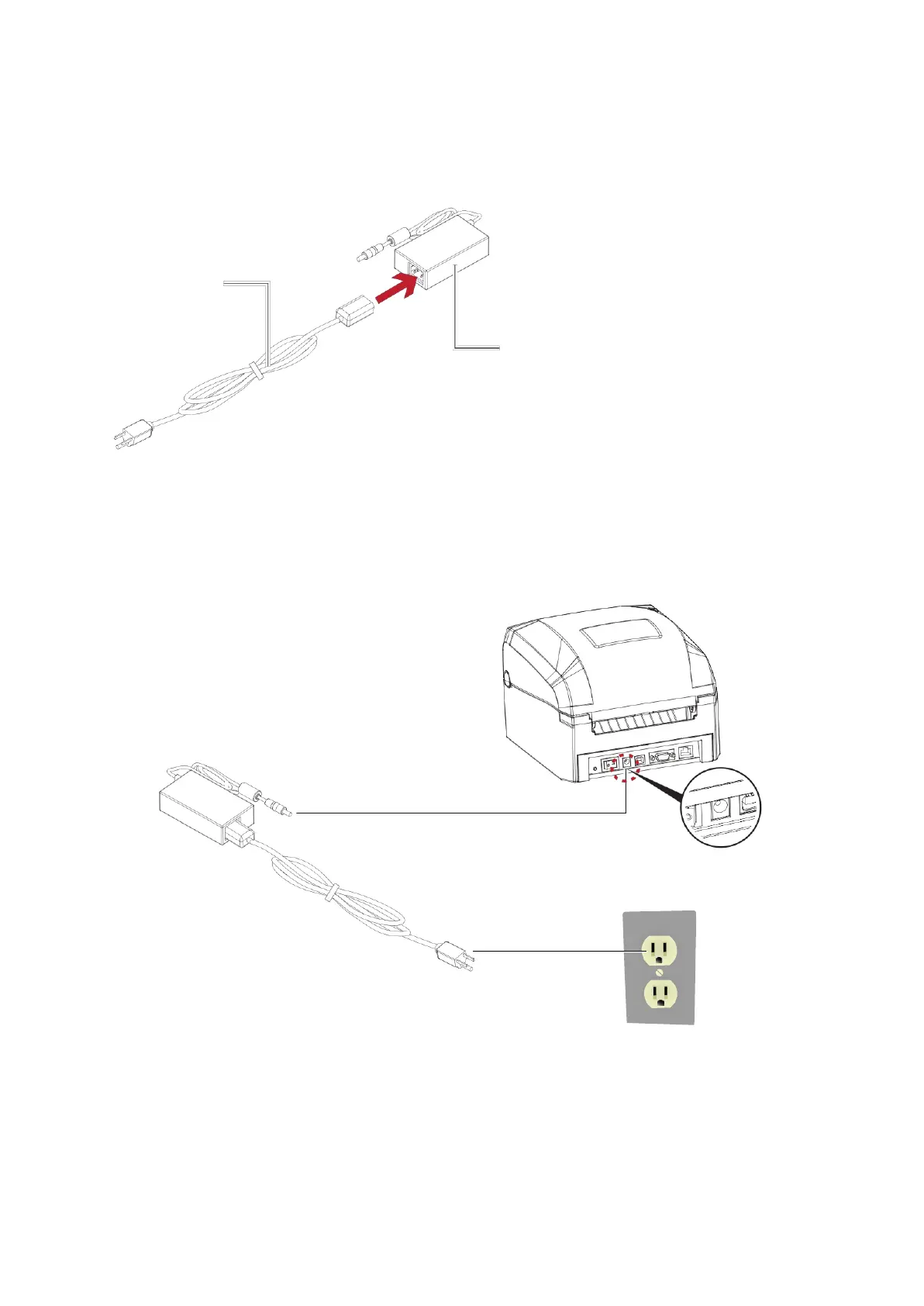
2. Connect the power cord to the AC adapter.
POWER CORD
AC ADAPTER
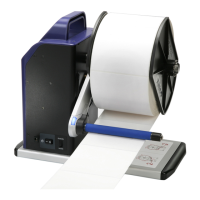
Connect the jack of the power adapter to the printer and connect the plug of the power adapter to the socket
of the wall.
GE300 THERMAL LABEL PRINTER
POWER ADAPTER
JACK
SLOT
THE WALL
PLUG
※This equipment must be earthed. The power plug must be connected to a properly wired earth ground
socket outlet. An improperly wired socket outlet could place hazardous voltages on accessible metal
parts.
SOCKET



 To Next Page