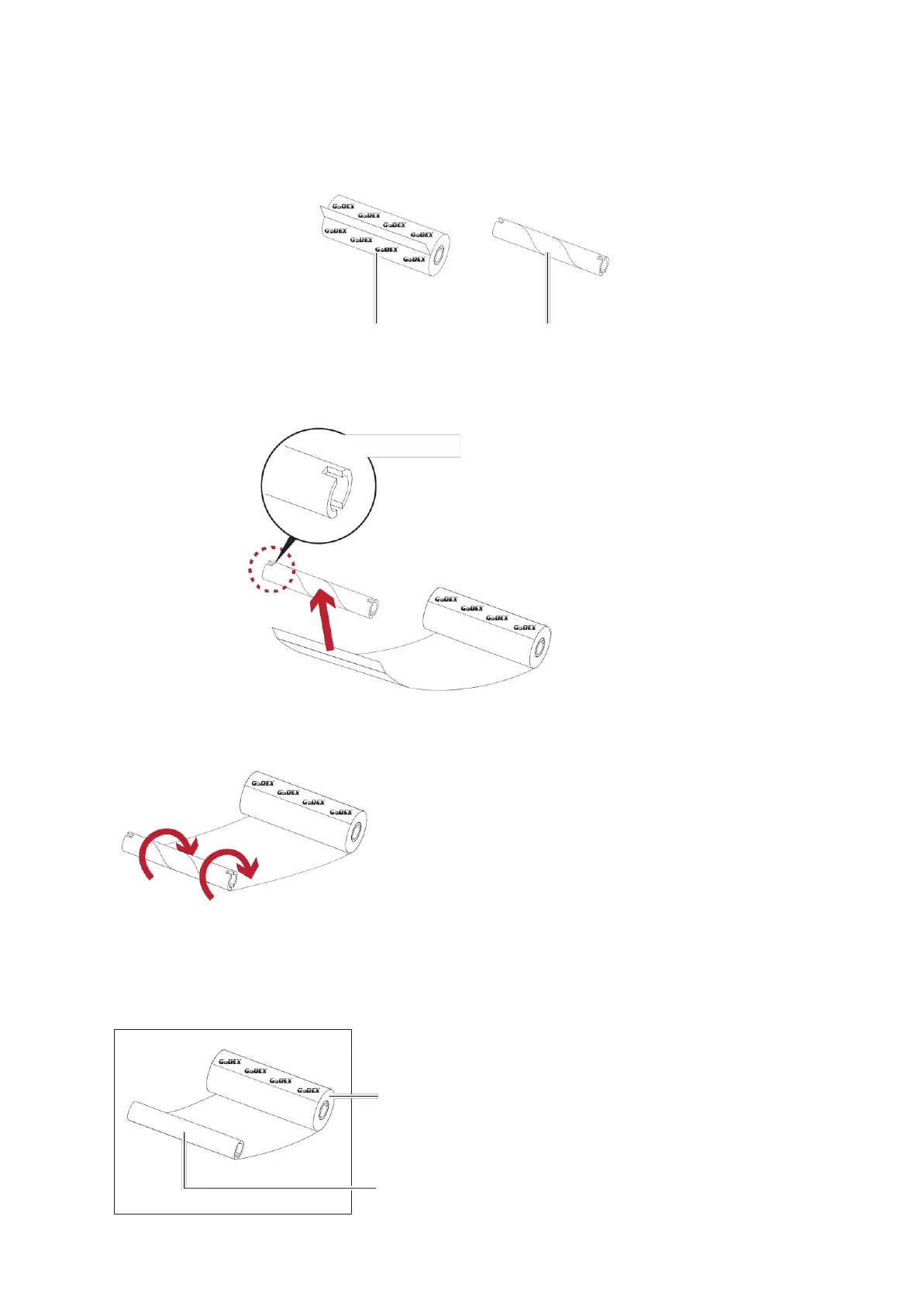
2.3 Loading The Ribbon
A New Ribbon Module Installation
NEW RIBBON EMPTY RIBBON CORE
1. Attach the ribbon to the empty ribbon core with the adhesive strip at the end of the ribbon.
Notch on left side
Stick on empty ribbon core
2. Wind the ribbon around the empty ribbon core for 2 to 3 circles.
Wind the ribbon around the core
3. A ribbon module is assembled as below.
A NEW RIBBON MODULE
RIBBON SUPPLY
RIBBON REWIND



 To Next Page