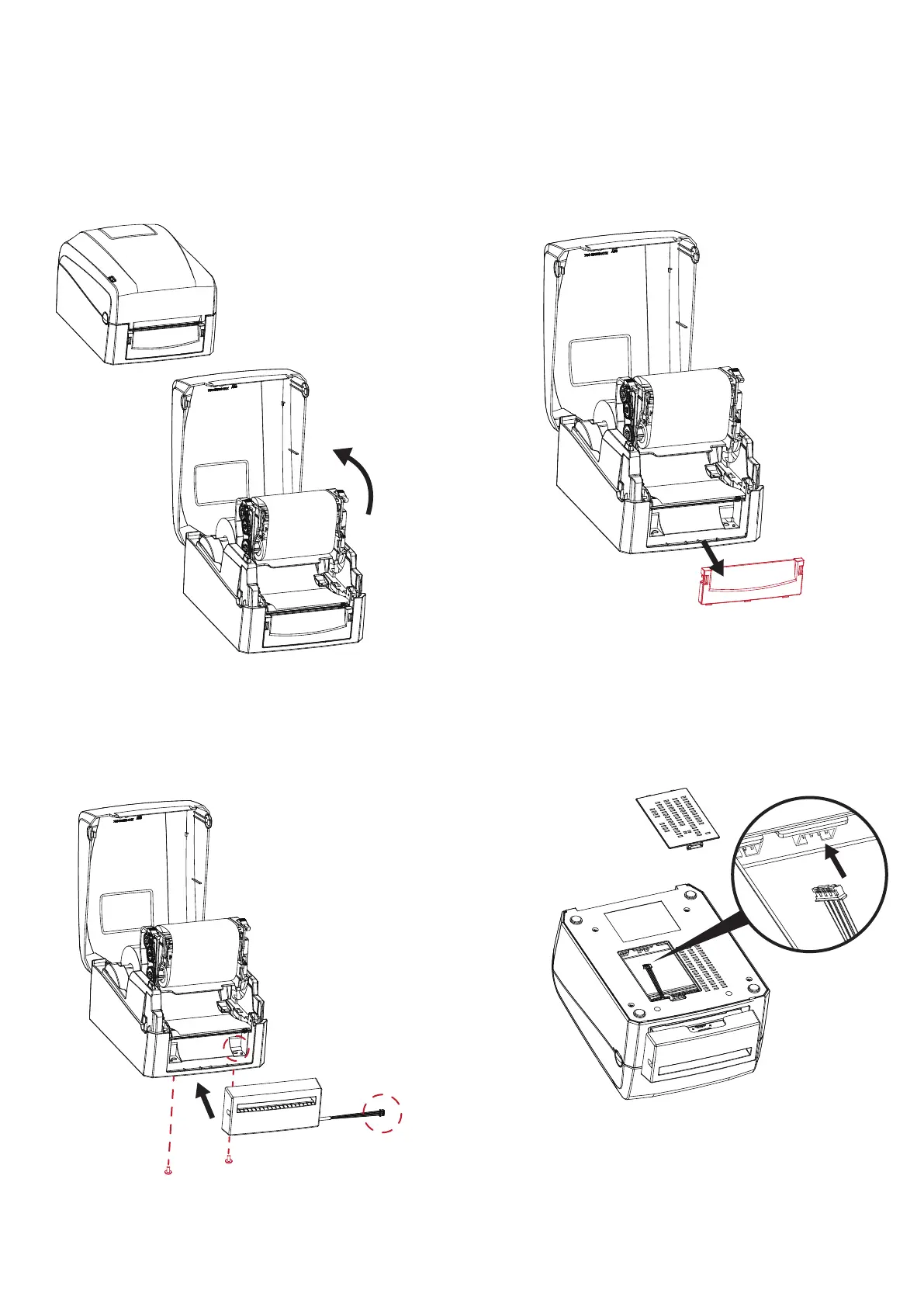
Step 1.Open the top cover and TPH
Step 2.Disassemble the front panel.
Step 3.Place the connector into the hole(as
indicated by the circle) and secure the cutter
in location.
CUT
Step 4.Take off the bottom cover and connect the
cable to main board and put on the bottom cover.
5 Accessories
5.1 Install The Cutter
029



 To Next Page