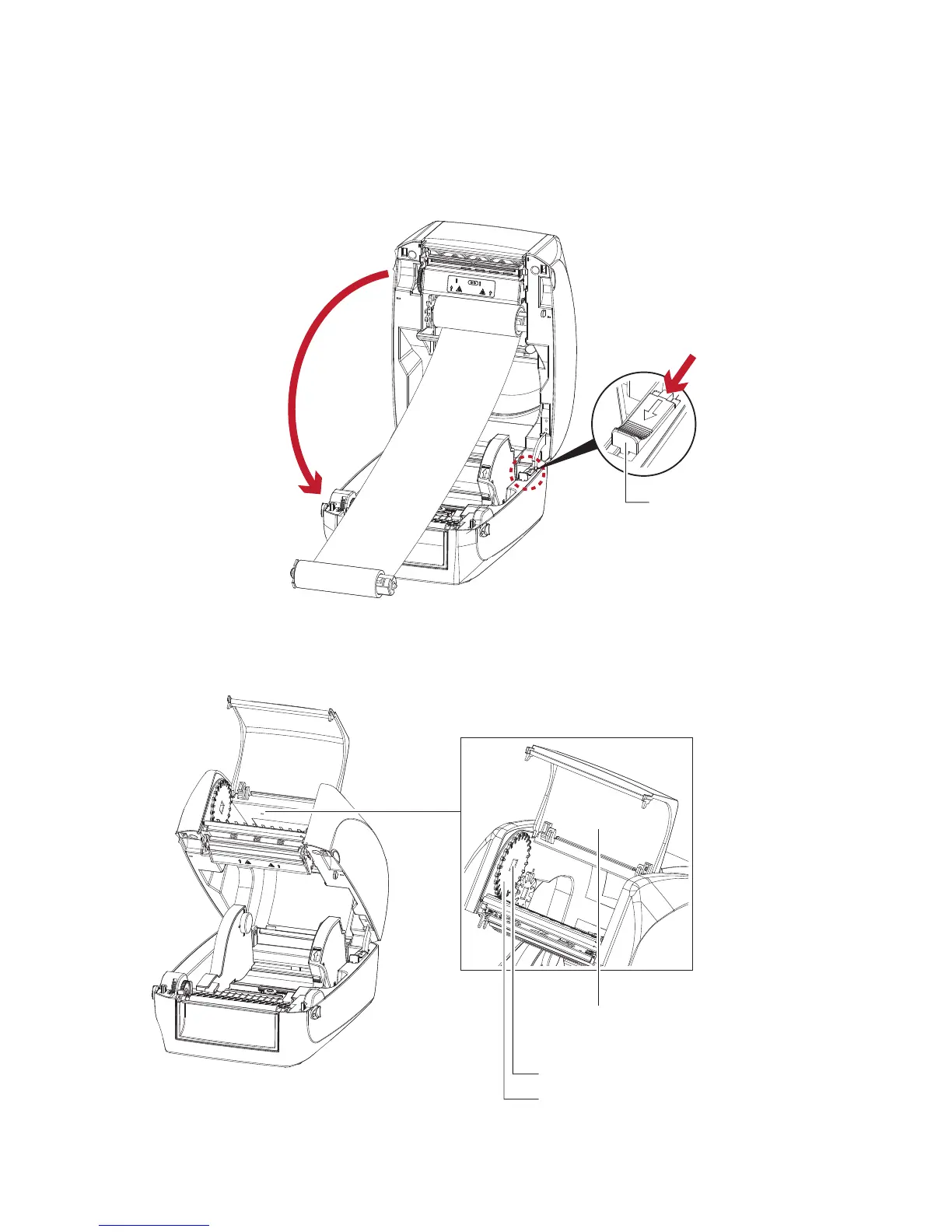
2. Unlock the release catch to close the printer cover. Push the release catch forward to unlock it.
The ribbon supply module loading is completed.
Load the Ribbon on the Printer
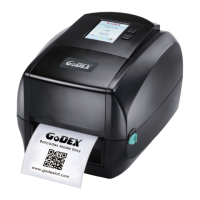
For Ribbon Rewind Module
Close the printer cover
2
Push
1
RELEASE CATCH
Release catch for closing
the printer cover
RIBBON REWIND MECHANISM
NOTCH OF RIBBON REWIND WHEEL
RIBBON REWIND WHEEL
COVER
The cover for Ribbon rewind mechanism



 To Next Page