Before installing the optional modules, please make some preparations as follows.
1. Turn off the printer :
Remember to switch off the printer before installing any module.
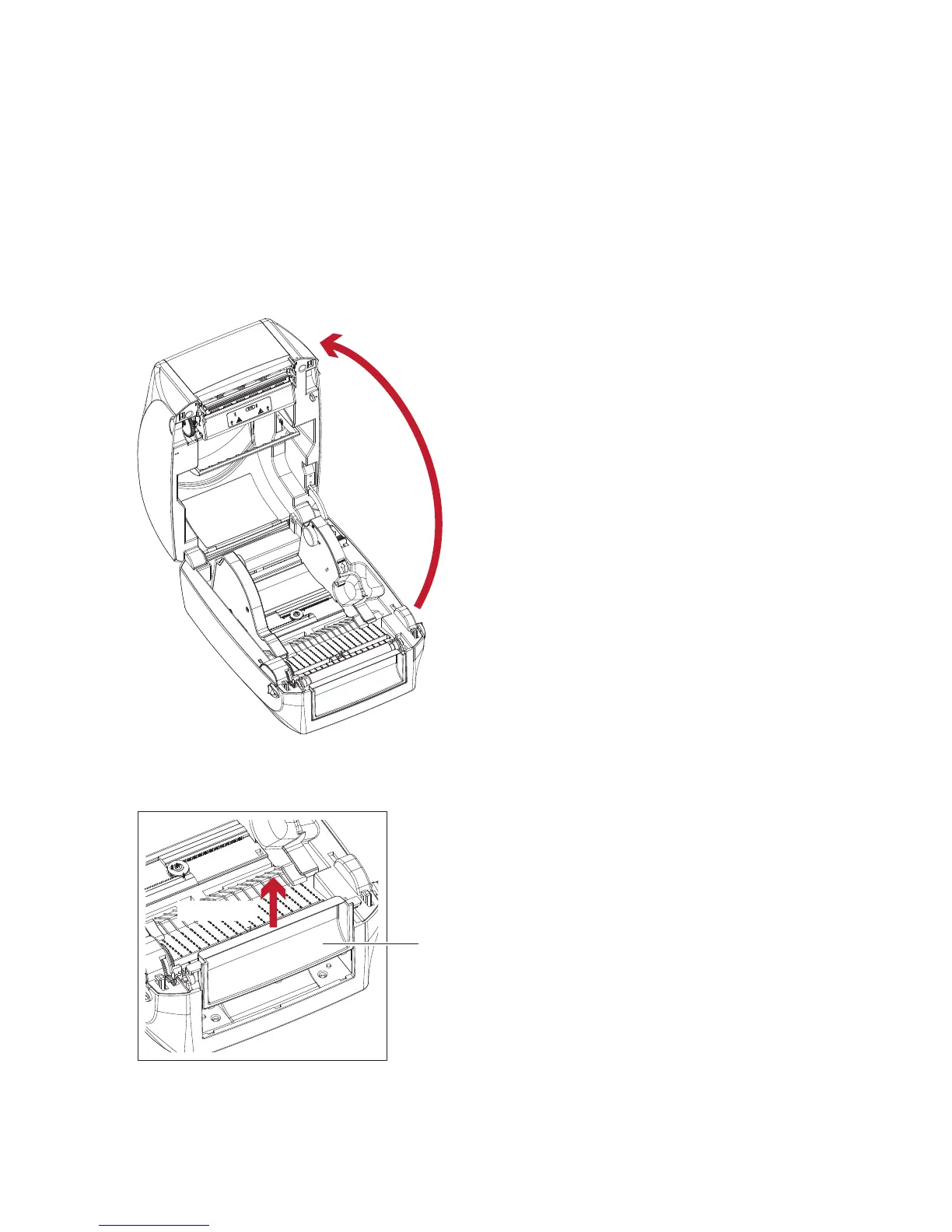
2. Open the printer cover and the printing mechanism :
Open the printer cover by pulling the release catches on both sides of the printer and lift the cover.
Please see the Section 2.1 for further information about Open the Printer.
3. Remove the front cover :
Please pull upward to remove the front cover.
5.1 Preparation Steps
The printing mechanism is lifted up
with the printer cover
Pull upward
FRONT COVER



 To Next Page