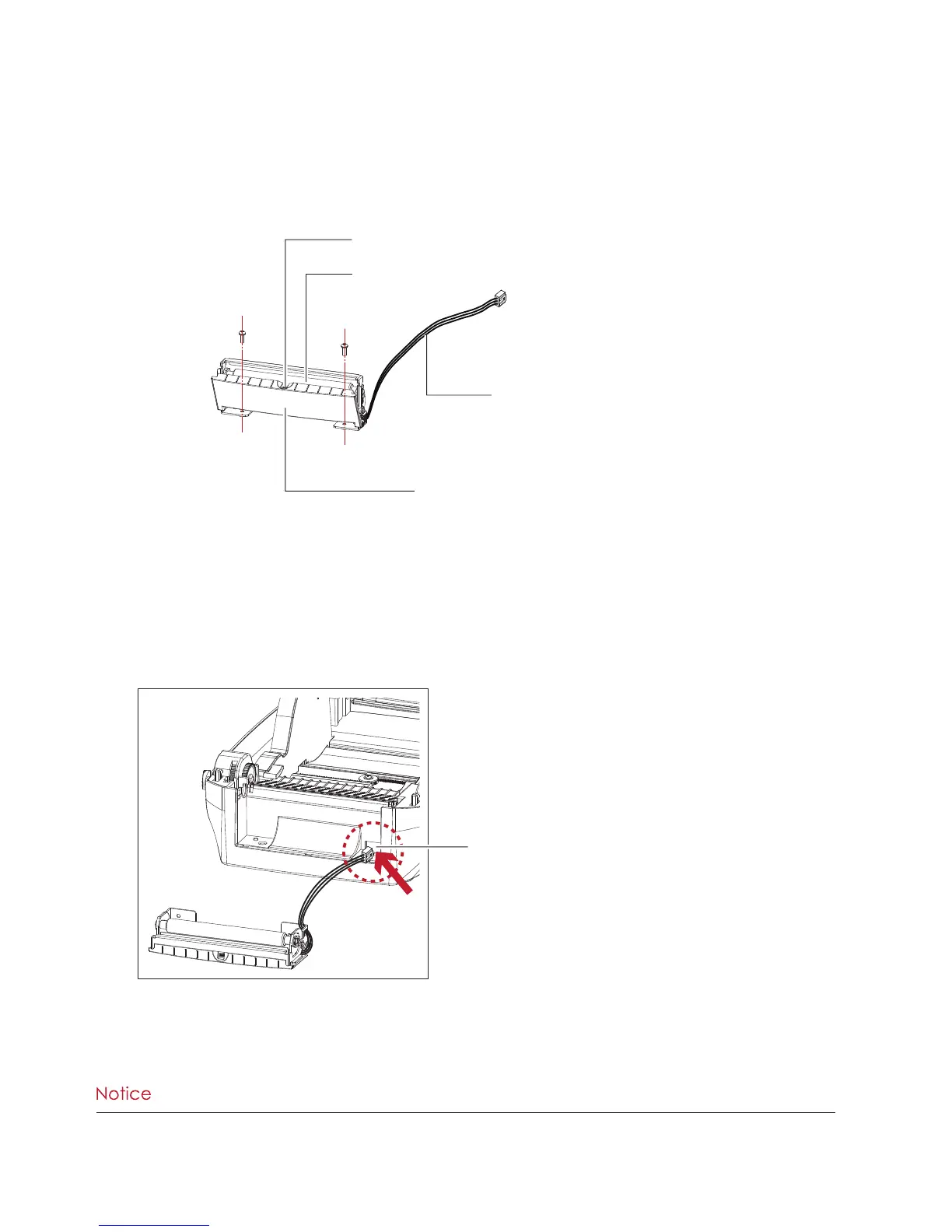
The Overview of the Label Dispenser
**** A label liner thickness of 0.006 mm ± 10% and a weight of 65 g/m
2
± 6% are recommended.
**** The label dispenser will take labels up to a max. width of 118 mm.
**** When using the label dispenser, set the stop position (printer command ^E) to 13.
Preparation Steps
Please see the Section 5.1 Preparation Steps to complete the preparation steps before installing the label dispenser.
Installing the Label Dispenser
1. Pass the connection cable through the slot of the printer.
PAPER SENSOR
PAPER FEED ROLLER
COVER
CONNECTION CABLE OF LABEL DISPENSER
SLOT



 To Next Page