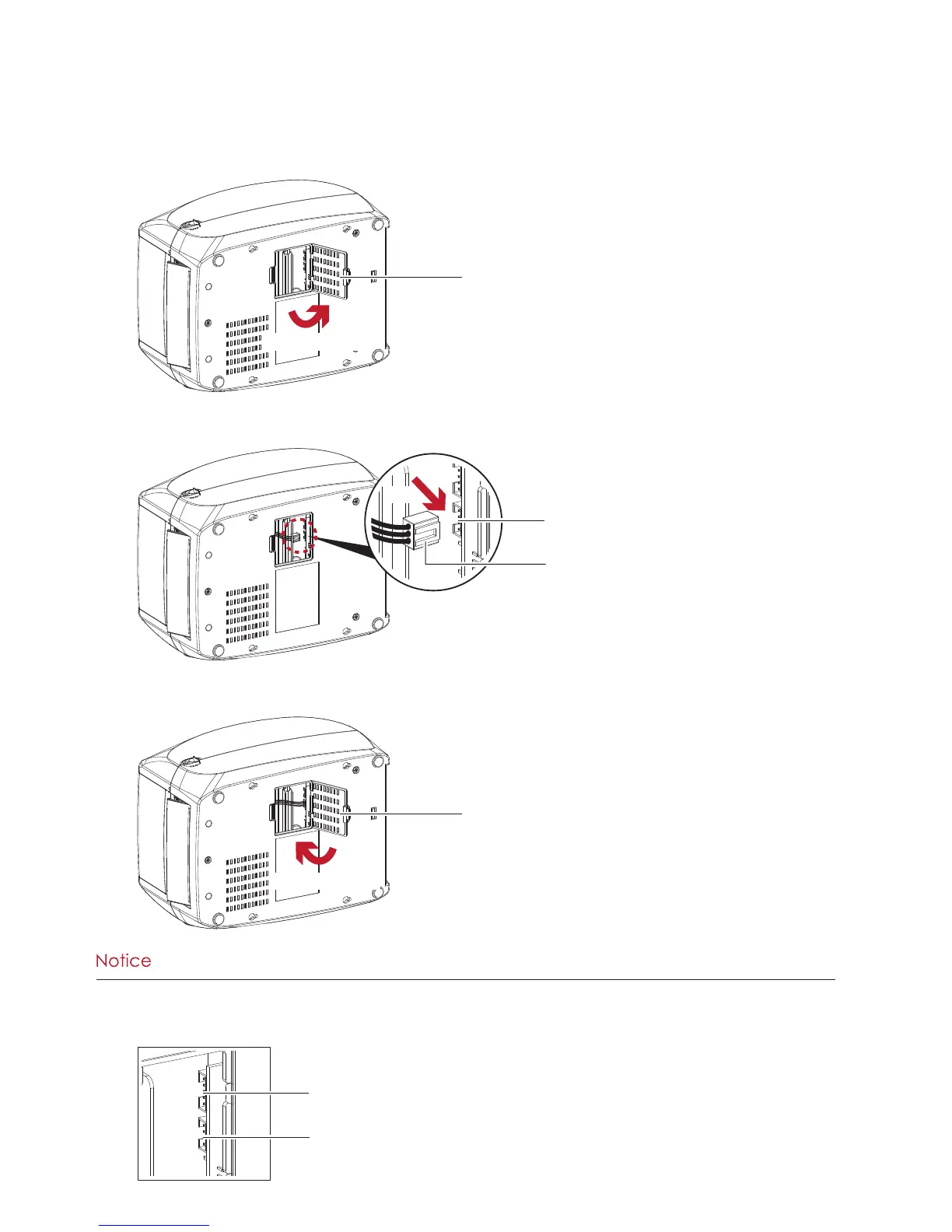
5. Open the cover on the bottom of printer.
6. Plug the connector fo the label dispenser to the jack.
7. Close the cover of the module connection jacks.
Open the cover
COVER OF THE MODULE CONNECTION JACKS
Plug
JACK
CONNECTOR OF THE CONNECTION CABLE
Close the cover
COVER OF THE MODULE CONNECTION JACKS
****The printer must be switched off when plugging the connector, or the motherboard may be destroyed!
****There are 2 jacks : the lower jack for the label dispenser, the upper jack for the cutter.
CUTTER JACK
LABEL DISPENSER JACK



 To Next Page