13
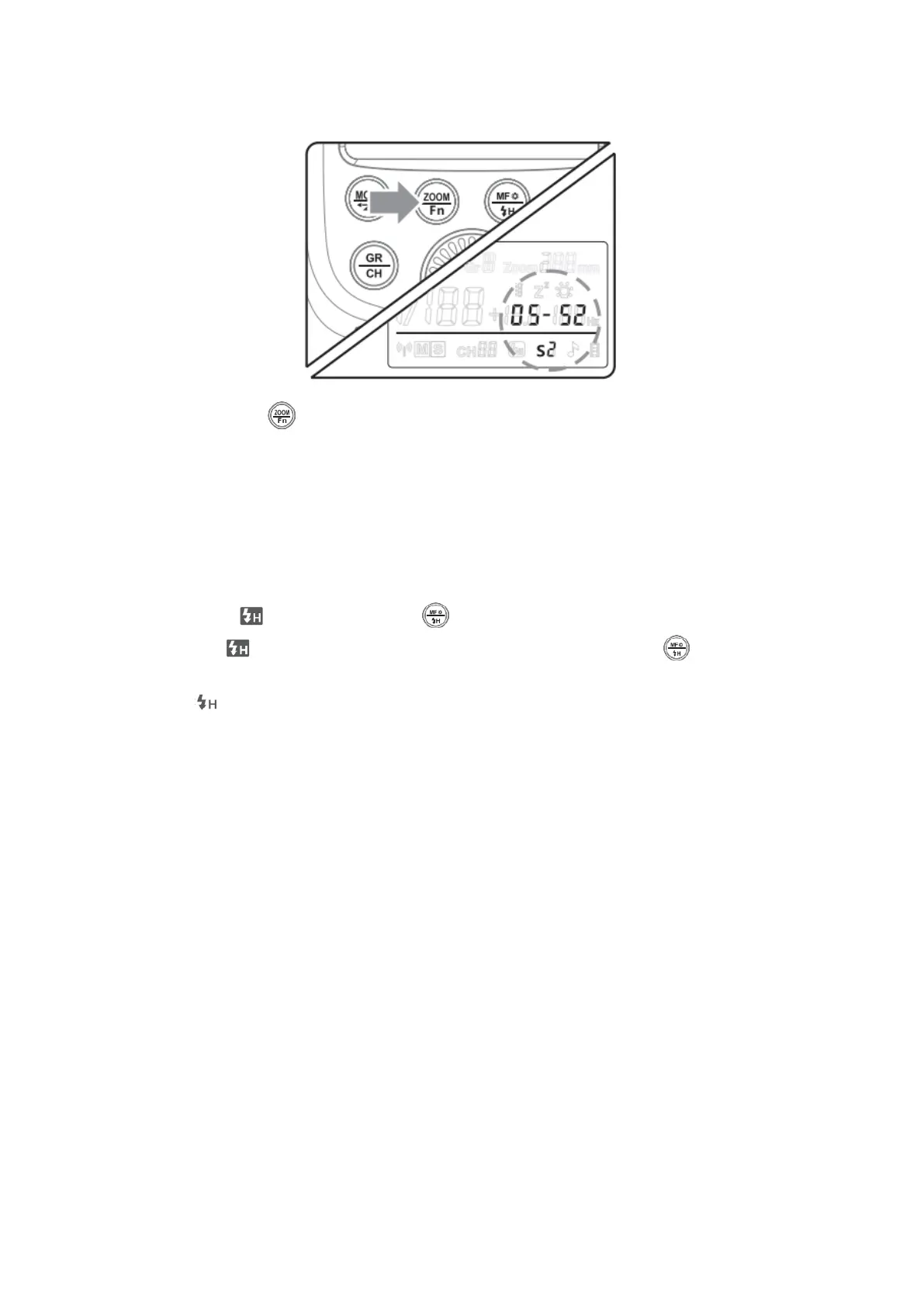
S2 Mode: S2 Slave Triggering Mode
• Long Press < > button for 2 seconds to enter the custom menu and press
<SET> Button to choose OS. Then, turn the Select Dial to choose OFF/S1/S2.
• In S2 mode, the flash unit can function as a slave flash for creating multiple
lighting effects. It is applicable when using a TTL master flash.
• In S2 mode, the flash unit will ignore a single “preflash” from the master flash and
will only fire response to the second, actual flash from the master.
Hi-Speed Sync Triggering
• To enter mode, long press < > button and hold for 2 seconds.
• To exit mode, press Mode Selection Button or long press < > button and
hold for 2 second again.
• In < > hi-speed sync triggering mode, you can use a hi-speed sync trigger to
have your flash unit synchronized with all shutter speeds of cameras (max.
1/8000 second, up to your camera). This is convenient when you want to use
aperture priority for fill-flash portraits.
Note:
*High-speed sync triggering mode is effective only when the flash unit is used together
with the following flash triggers.
1. Hi-speed sync trigger, e.g., Godox Cells II transceiver.
2. TTL wireless flash trigger X1C
3. TTL wireless flash trigger X1N
*Hi-speed sync triggering mode is not available when TT600 is mounted onto the
camera.


 To Next Page