12
Loading and Unloading the Battery
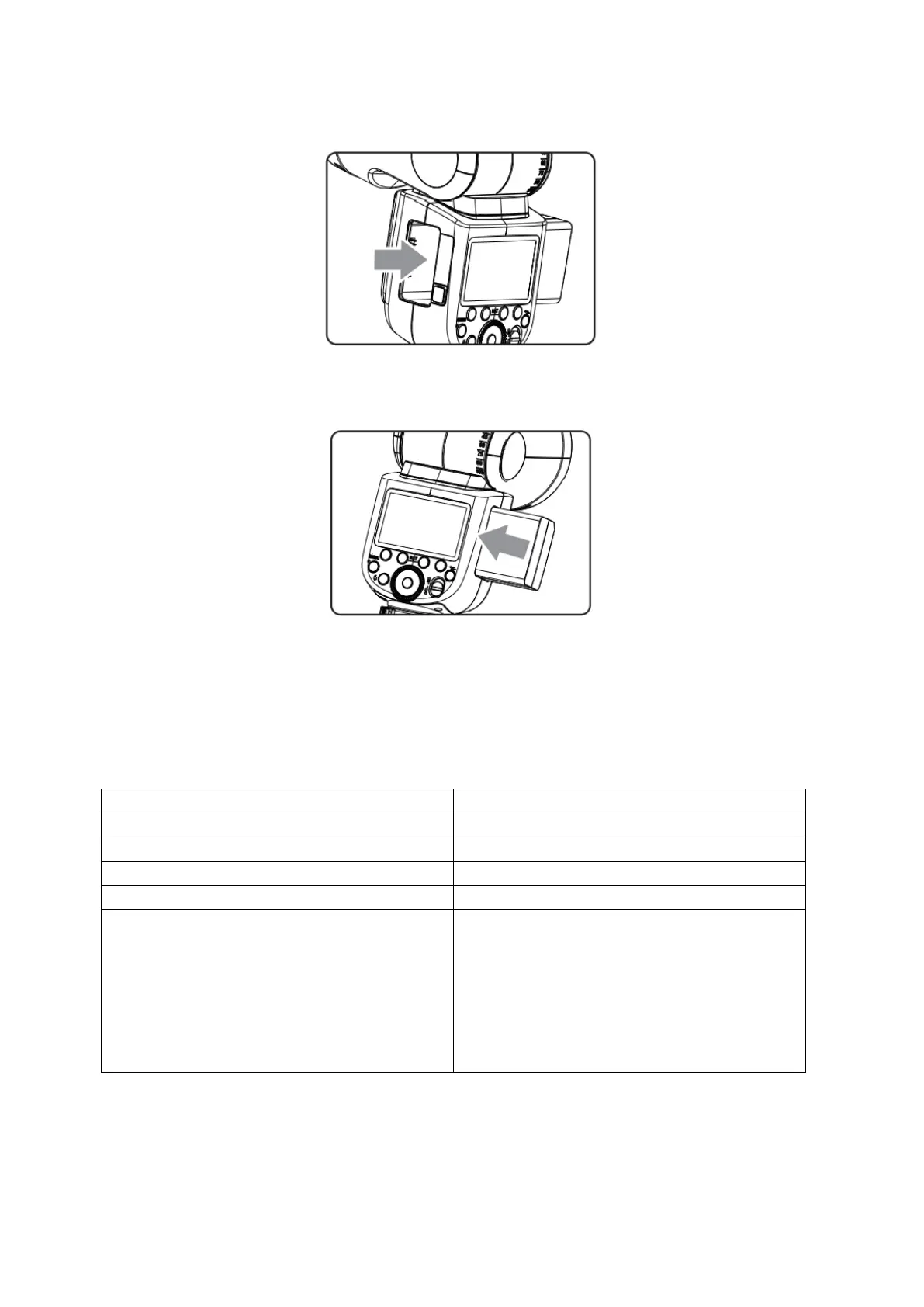
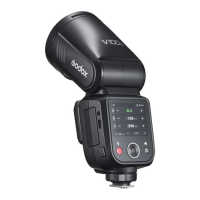
To unload the battery, hold down the battery remove button and push the battery
downwardly to take it out.
According to the triangle sign on the battery pack, insert it into the compartment until a
while knob lock the battery with a click sound.
Battery Level Indication
Make sure the battery pack is securely loaded in the flash. Check the battery level
indication on the LCD panel to see the remaining battery level.
The battery level is going to be used out
immediately. And the flash will auto
power in 1 minute.
Note: Please recharge the battery as soon
as possible (within 10 days). Then, the
battery be used or be placed for long
period.


 To Next Page