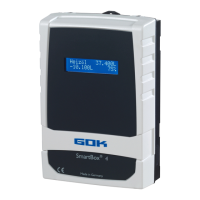
SmartBox
®
4 / SmartBox
®
4 PRO
part no. 28 400 57 d 25 / 28
Receive SMS messages as E-mail
Optionally, the messages automatically sent by the SmartBox
®
, e.g. limit value or alarm, can
also be received as E-mails, if the provider allows it.
To this end, a service telephone number and a recipient’s e-mail address must be specified in
accordance with the respective network operator. As an alternative,
the www.smart-inspector.com system also provides this function without any extra fee.
Service telephone number for the T-Mobile network (in Germany)
#H=MyEmail@address.com [Leerzeichen][+Header-
Text] insgesamt max. 40 Zeichen
Mention e-mail address first in
the header
Example: #T=8000#H=info@gok-online.de HEL-Tank1, Hauptstr.7, 97340 MB
Remote monitoring with the Smart Inspector system via Internet PC
The Smart Inspector is a web-based database system for comfortable remote monitoring of
tank data.
Also in this case, the SmartBox
®
sends the data via SMS. But all messages of this system are
received, logged and processed by the Smart Inspector server.
In case of malfunction, the SMS event messages are forwarded to the mobile phone number
indicated by the customer.
For guest access to the Smart Inspector, please go to www.smart-inspector.com.
OPERATION
The product requires no operation while it is running.
TROUBLESHOOTING
Error E1
The set value is invalid.
Error E2
Measured value too small I < 3,7mA probe defective)
Measured value too great for zero point calibration (level probe must not be
immersed).
Measured value not plausible. Check menu item “9. Offset probe”.
Set height is more than the height of the tank (incorrect entry menu item 10).
The current measured value is too low as a reference point. The level probe
must be submerged. The set height is too high (the measured value is too
low). Check menu item “9. Offset probe”. Otherwise, probe fault.
The current measured value is too low in relation to the set tank height or to
the tank volume. The level probe must be submerged.
Measured value (probe current) is too high - check electrical connection and
measuring range of the probe, switch power supply off and on again. Check
menu settings steps 1 to 5. If necessary, Check menu item “9. Offset probe”.
Error E9
Probe current = 0mA - no signal current. The probe cable is poled wrongly or
interrupted; check cable extension, reconnect if necessary.
Calibration error. Disconnect the display device from the power supply, wait
5 sec. and then reconnect. Otherwise, probe fault.
The liquid level in the tank is actually too low for an exact
measurement. You can still press [Enter] to confirm and continue.
(Still) no measured value available from ex. tank 2..4 only SmartBox
®
4.


 To Next Page