Need help?
Do you have a question about the Golden engineering XRS4 and is the answer not in the manual?
XRS4 may fail prematurely above 5000 ft. elevation.
XRS4 is not for continuous use; observe duty cycle limits to prevent damage.
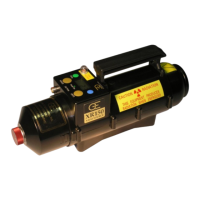
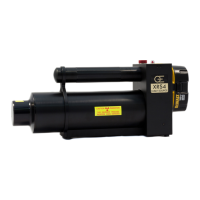
Main body containing X-ray tube, spark gap, capacitor, transformer, and collimator.
Base contains identification label and tripod mounting insert.
Standard battery is DeWalt 18V Ni-Cad. Optional chemistry/voltage may be available.
Standard charger is DeWalt DW9116 (110V) or DE9108 (220V). Charge time is one hour.
Indicates pulsing status; a failsafe indicator for unit operation.
32-character display showing pulse count, time delay, and readiness.
Initiates time delay mode countdown when left/right arrows are pressed.
Illuminates when battery voltage is applied to the control module.
Used for menu selection and emergency shutdown.
Used to navigate LCD menus and options.
Details pin functions: 5V, remote switch, X-ray signal, and common ground.
Specifies Lemo connector types for remote cable and mating plug.
Step-by-step explanation of XRS4 operation from user initiation to X-ray generation.
Generates X-rays via high voltage bombardment of a tungsten target. No radioactive materials.
Guides for DR, Remote Cable, and Time Delay initiation methods.
Instructions for positioning the XRS4 and imager relative to the object.
Defines safe operating distances and controlled area around the XRS4 during pulsing.
Table of approximate pulses needed for various materials at a set distance.
Guidance on correcting underexposure and overexposure by adjusting pulses or distance.
Visual guide showing how to move between menu options using buttons.
Step-by-step instructions to set the pulse count using the control panel.
Note on pulse settings above 200 defaulting to multiple pulse trains with delay.
Instructions to set the delay time before the first pulse using the control panel.
Clarifies when time delay applies (direct firing, not remote cable).
Steps to enter multiple pulse trains and set rest periods between them.
Unit requires explicit confirmation (Y/N) to proceed with multiple pulse trains.
Warns about exceeding duty cycle and potential warranty voidance.
Explains 'Pulse Counter' (resettable) and 'Lifetime Pulse' (non-resettable) features.
Procedure for measuring X-ray dose with a dosimeter at a specified distance.
Information on tube life, replacement procedure, and when to contact support.
Table of common symptoms, tests, and recommended actions for XRS4 issues.
Detailed steps for replacing the 20 amp and 15 amp fuses.
Steps to remove screws and access the control module boards.
Instructions for installing the Oscillator Board and Counter Board.
Details limited warranty period, terms, and exclusions.
Procedure for returning the unit for repair, including necessary documentation.
Lists physical dimensions, X-ray output, and electrical/thermal characteristics.
Lists available spare parts and accessories with their part numbers.
 General
| Brand | Golden engineering |
|---|---|
| Model | XRS4 |
| Category | Portable Generator |
| Language | English |

 To Next Page