12
SET DELAY TIME (Before rst pulse)
¾ Time delay is the delay time before the rst pulse only when ring the unit directly from the XRS4 control
panel by depressing left and right arrow buttons simultaneously.
¾ Time delay does not affect delay time between multiple pulse trains and does not affect delay time
before the rst pulse when using a remote cable or when X-ray is red from a digital imaging system
controller.
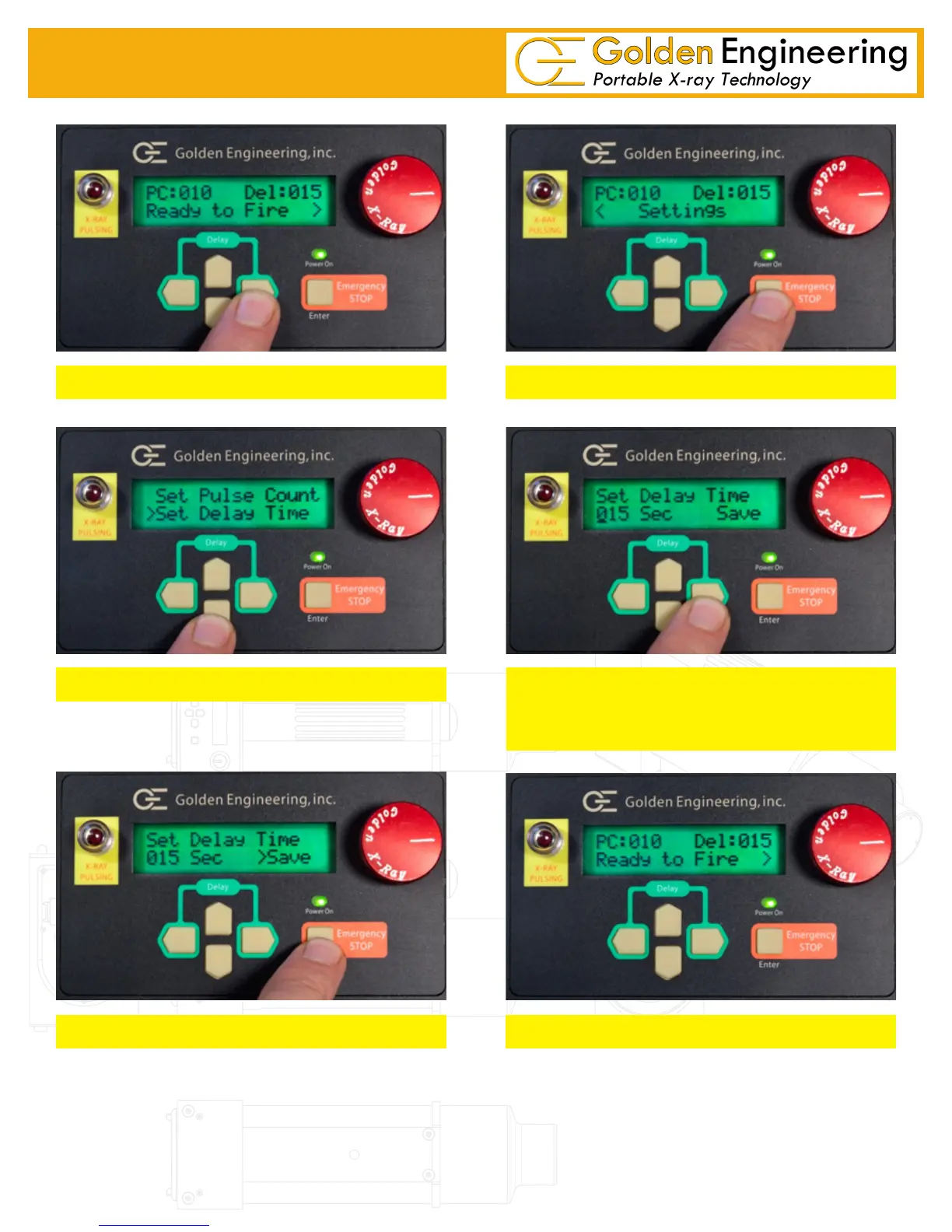
Press Right Arrow button from home screen
Press enter button from Settings screen
Select Set Delay Time press Enter button
Use Left/Right arrows to select digit
Use UP/DOWN arrows to change number
Delay option from 5 to 240 seconds
Press Right Arrow to Save and Press Enter Home Screen appears when Time delay is saved



 To Next Page